


Quick Summary :- Cloud bills often rise because of inefficient resource usage, unsuitable pricing commitments, unclear cost ownership, and growing AI workloads. Learn how to improve cloud cost visibility, optimize infrastructure, control AI spending, and establish governance while maintaining application performance.
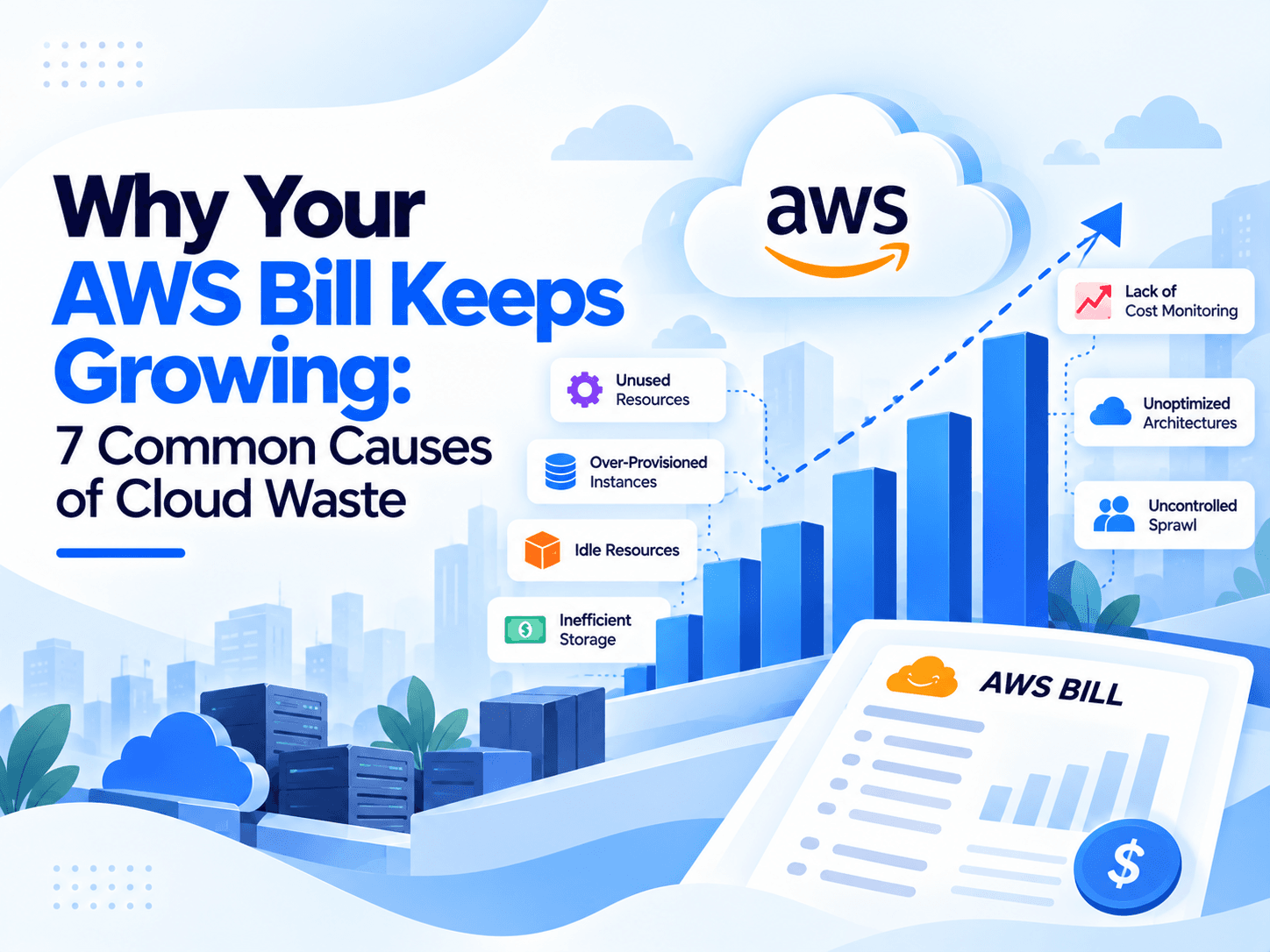
Cloud computing helps businesses scale applications, launch products faster, and avoid the upfront cost of maintaining physical infrastructure. However, as organizations adopt more cloud services, their monthly bills can become increasingly difficult to predict.
A company may begin with a few virtual machines, a database, and cloud storage. Over time, it adds monitoring tools, development environments, backup systems, managed services, data pipelines, and AI workloads. Each addition may seem reasonable on its own, but together they can create a complex cost structure that is difficult to manage.
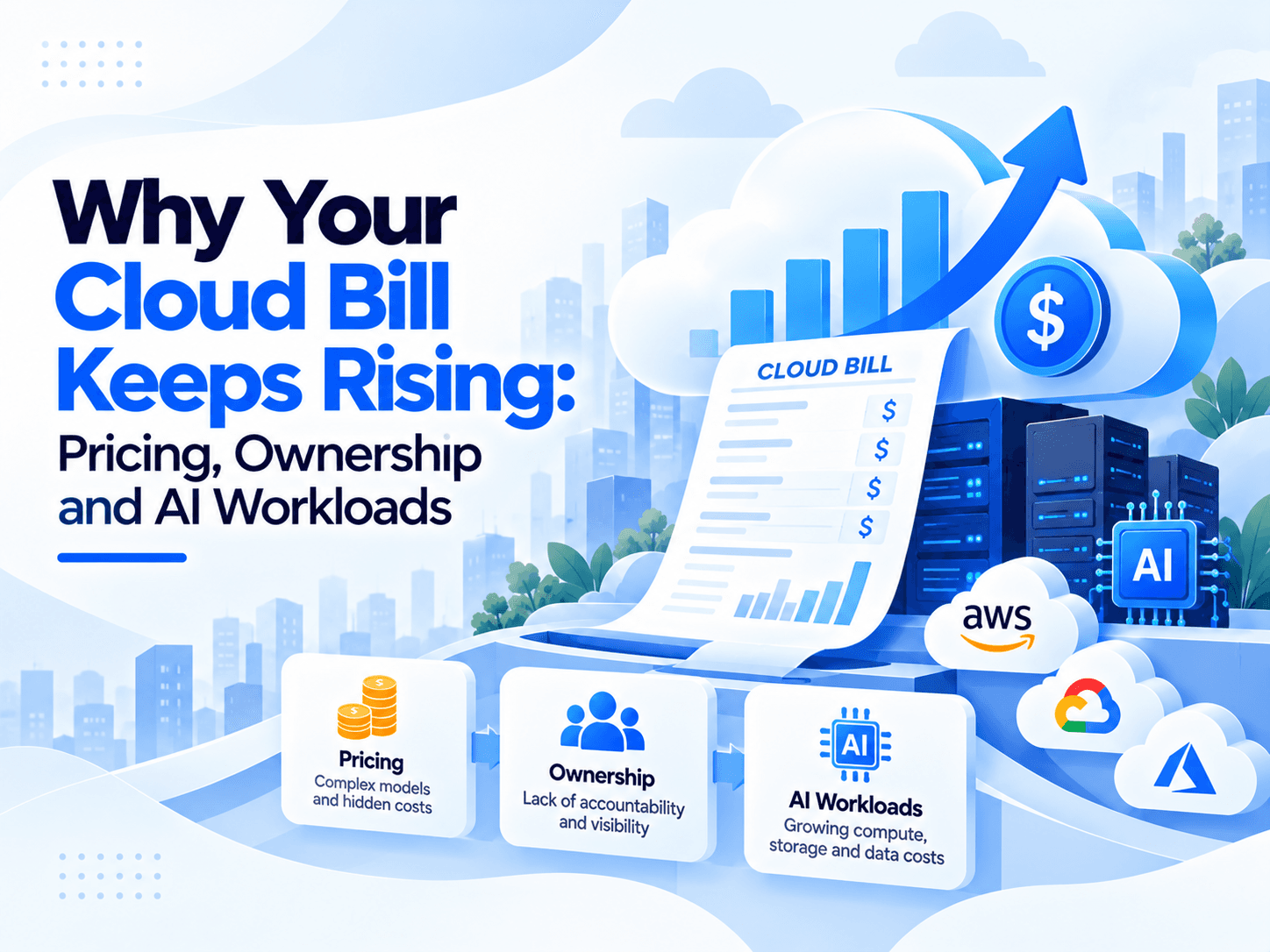
The problem is not always that cloud services are too expensive. In many cases, organizations struggle because resources are poorly matched to demand, pricing commitments are made too early, costs are not assigned to clear owners, or AI workloads introduce unpredictable consumption.
The FinOps Foundation reported in its 2025 State of FinOps survey that workload optimization and waste reduction remained leading priorities for practitioners, while 63% of respondents were managing AI spending, up from 31% in the previous year's survey. The findings illustrate why cloud cost management increasingly needs to cover both traditional infrastructure and newer AI-related spending.
For businesses using AWS, Microsoft Azure, or Google Cloud, controlling expenditure requires more than switching to a cheaper virtual machine or setting a monthly budget. It requires a practical framework that connects pricing decisions, engineering activity, financial accountability, and business outcomes.
This guide explains why cloud bills continue to rise, how pricing models and ownership gaps contribute to waste, why AI workloads complicate forecasting, and what organizations can do to reduce spending without sacrificing performance.
Why Do Cloud Bills Keep Rising?
Cloud spending usually increases through a combination of resource growth, inefficient usage, pricing decisions, and limited visibility. Organizations often focus on the largest invoice items while overlooking smaller recurring charges that accumulate over time.
1.1 Resource usage grows faster than expected
Cloud infrastructure is designed to scale. That is one of its biggest advantages, but it can also create financial challenges.
An application might require two servers during normal traffic and eight during a busy period. Autoscaling can accommodate that demand automatically. However, if scaling policies are too aggressive or workloads do not scale down properly, the organization may continue paying for resources it no longer needs.
The same problem affects databases, container clusters, storage volumes, and managed services.
For example, a development team might provision a large virtual machine to test a new application. After testing, the machine remains active because nobody is responsible for shutting it down. If several teams follow the same pattern, idle resources become a recurring expense.
Other common causes include:
- Overprovisioned compute instances with consistently low utilization.
- Development and testing environments running outside working hours.
- Unattached storage volumes and outdated snapshots.
- Unused load balancers, public IP addresses, and networking resources.
- Duplicate environments created for temporary projects.
- Retained logs and backups that no longer serve an operational purpose.
Google Cloud's cost optimization guidance on resource usage recommends understanding workload requirements and consumption patterns to avoid overprovisioning and align resources with actual demand.
The key lesson is that cloud consumption should be reviewed continuously. Resources that were appropriate six months ago may no longer be appropriate today.
1.2 Small cost increases compound over time
A cloud invoice rarely increases because of a single dramatic mistake. More often, several services become slightly more expensive as usage expands.
Consider the following illustrative example.
Cost category | Earlier monthly spend | Current monthly spend |
Compute | $4,000 | $5,200 |
Database services | $2,000 | $2,600 |
Storage and backups | $800 | $1,100 |
Networking | $700 | $1,000 |
Monitoring and logging | $500 | $800 |
AI services | $0 | $1,500 |
Total | $8,000 | $12,200 |
Illustrative figures for explanation only; not industry benchmarks or actual customer data.
In this example, monthly spending rises by $4,200, or 52.5%. Compute and database growth contribute to the increase, but networking, observability, and new AI services also play a role.
Without a breakdown by service, application, environment, and team, finance might see only a larger invoice. Engineering might see growing traffic and assume that the increase is unavoidable.
A detailed cost analysis can reveal which changes reflect genuine business growth and which are avoidable inefficiencies.
1.3 Cloud architecture decisions affect long-term costs
An architecture that is easy to deploy is not necessarily the cheapest to operate.
For instance, an application may send large volumes of data between availability zones or regions. A system may retain every log indefinitely. A database may use a high-capacity instance because the original configuration was never reviewed after launch.
These choices can increase costs even when application traffic remains stable.
Cloud cost optimization therefore needs to begin during architecture design, not only after a bill arrives. Engineering teams should consider expected traffic, storage growth, data movement, availability requirements, and operational overhead before selecting a solution.
The goal is not to build the cheapest possible architecture. It is to choose an architecture whose total operating cost is appropriate for its performance, reliability, and business requirements.
The Role of Cloud Pricing Models
Pricing is one of the most important reasons a cloud bill can remain high even after resource usage has been reviewed.
AWS, Azure, and Google Cloud offer multiple purchasing options, including pay-as-you-go services, commitment-based discounts, and capacity that may be available at reduced prices with interruption risk.
The right choice depends on how predictable the workload is, how long it will run, and how much operational flexibility the business needs.
2.1 On-demand pricing offers flexibility but can cost more
On-demand pricing allows businesses to pay for resources without making a long-term commitment. It is useful for new applications, variable workloads, experiments, and services with uncertain future demand.
However, using on-demand resources for every workload may leave savings opportunities unused.
Consider a production service that runs at a consistent level throughout the year. If its compute demand is predictable, a commitment-based pricing option may reduce its eligible compute costs, depending on the provider, region, resource type, and terms.
The important question is not whether on-demand pricing is bad. It is whether the flexibility it provides is worth the additional cost for each workload.
Teams should classify resources into three broad groups:
- Predictable workloads: Consider commitment-based discounts after validating historical usage.
- Variable workloads: Retain flexible capacity where demand changes significantly.
- Experimental workloads: Avoid commitments until demand and lifecycle become clearer.
This approach reduces the risk of paying premium rates for predictable workloads while avoiding unnecessary long-term obligations for uncertain ones.
2.2 Reserved capacity and savings plans require careful planning
Commitment-based pricing can lower eligible usage costs, but a discount does not automatically mean a lower overall bill.
Suppose a business commits to a certain level of compute spending based on its current demand. Several months later, the business migrates an application, changes instance families, or reduces traffic. The commitment may no longer match the resources being consumed.
The organization can end up paying for unused committed capacity while continuing to incur charges elsewhere.
Before making a commitment, review:
- At least several months of historical usage where available.
- Seasonal and daily demand patterns.
- Planned migrations and infrastructure changes.
- Resource eligibility under the selected pricing program.
- The financial impact if demand falls below expectations.
AWS provides Billing and Cost Management documentation for organizing spending, analyzing costs, and managing budgets. Its AWS Budgets service can also help teams monitor actual and forecast spending against defined thresholds.
2.3 Reduced-price capacity is not suitable for every workload
Spot or other interruptible compute capacity can be useful for workloads that tolerate interruptions. Examples include certain batch-processing jobs, fault-tolerant simulations, and distributed machine learning training.
However, moving a critical application to interruptible capacity simply to reduce its hourly price can create reliability problems.
Before using this model, confirm that the workload can recover from interruptions, save progress where necessary, and restart without losing important data.
Pricing optimization must account for the complete operating cost, including engineering effort, recovery time, and reliability risk.
Cloud pricing model comparison
Pricing model | Best suited for | Main consideration |
On-demand | Variable or uncertain workloads | Greater flexibility, potentially higher unit costs |
Reserved capacity or commitments | Stable, predictable usage | Risk of underutilized commitments |
Savings plans | Eligible usage with a suitable commitment structure | Coverage and flexibility depend on the plan |
Spot or interruptible capacity | Fault-tolerant, restartable workloads | Interruptions can affect execution |
Autoscaling | Workloads with changing demand | Poor scaling policies can increase waste |
The best strategy is usually a combination of pricing models rather than a single purchasing approach for the entire cloud environment.
How Unclear Ownership Creates Cloud Waste
Pricing explains how cloud resources are billed, but ownership explains why unnecessary spending often continues.
In many organizations, finance teams receive the invoice, platform teams manage infrastructure, developers deploy applications, and product managers decide which features to build. Each group influences spending, yet no single group necessarily understands the complete cost of a workload.
This creates a gap between the person making a technical decision and the person responsible for its financial consequences.
3.1 Finance sees the invoice, but engineering controls consumption
Finance teams need predictable budgets, accurate forecasts, and clear explanations for spending changes. Engineering teams need enough capacity to maintain performance, ship features, and respond to traffic spikes.
These goals are not contradictory. Problems arise when the teams work with different information.
For example, finance may notice a 25% increase in infrastructure spending and ask for immediate savings. Engineering may be unable to explain the increase because cloud resources are not consistently tagged by application or environment.
Without that information, the organization may cut resources indiscriminately, risking performance problems while leaving the actual sources of waste untouched.
Microsoft's Azure Cost Management documentation describes capabilities for analyzing costs, monitoring budgets, allocating spending, and acting on optimization recommendations. These practices help connect financial visibility with operational decisions.
3.2 Missing tags make accountability difficult
Resource tags and labels help organizations associate cloud spending with business units, applications, projects, environments, and owners.
Consider a company with 200 virtual machines. If 40 belong to development, 80 support production applications, and the rest serve analytics and testing, the organization needs a reliable way to distinguish these costs.
Without consistent tagging, teams may struggle to answer basic questions:
- Which application is responsible for the largest increase?
- Which team owns an unused resource?
- How much does a specific product cost to operate?
- Is spending rising because of business growth or inefficient infrastructure?
- Which department should approve a proposed commitment?
A practical tagging policy should define mandatory fields such as application, environment, owner, department, and cost center. Automated policies can flag or restrict noncompliant resource creation where appropriate.
Shared resources need special attention. If a database or networking service supports multiple applications, organizations should establish a reasonable allocation method rather than assigning the entire bill to one team.
3.3 Create a clear cloud cost ownership model
A useful ownership model gives each role a specific responsibility.
Role | Primary responsibility |
Finance | Budgets, forecasting, financial reporting |
Engineering | Resource efficiency, architecture, performance |
Platform or cloud team | Shared infrastructure, governance, cost visibility |
Product management | Product-level economics and business priorities |
FinOps team | Cross-functional analysis, accountability, optimization coordination |
This structure does not mean every company needs a separate FinOps department. Smaller organizations can distribute these responsibilities across existing teams.
What matters is that someone is accountable for investigating cost anomalies, approving commitments, validating savings, and ensuring optimization does not damage reliability.
Why AI Workloads Make Cloud Budgets Harder to Control
Artificial intelligence introduces another layer of complexity into cloud spending. Traditional applications often have relatively familiar relationships between traffic, compute requirements, and infrastructure costs. AI workloads can have more variable consumption patterns, especially when they involve model training, inference, large language models, or agent-based workflows.
The challenge is not simply that AI is expensive. It is that demand, resource requirements, and business value can change quickly during experimentation and deployment.
4.1 AI spending is becoming a mainstream FinOps responsibility
The FinOps Foundation's 2025 State of FinOps report found that 63% of surveyed practitioners were managing AI spending, compared with 31% in the prior year's survey. Its 2026 survey announcement subsequently reported that 98% of 1,192 respondents were managing AI spending, showing how quickly the responsibility has expanded.
4.2 GPU costs can increase during experimentation
Training and running machine learning models can require substantial compute capacity. GPU instances are often more expensive than general-purpose compute resources, and their cost-effectiveness depends heavily on utilization.
An experimentation workflow may launch several training runs with different parameters. Some runs finish quickly, while others run for hours or days. If completed jobs leave instances running, or researchers launch duplicate experiments, the organization pays for capacity that produces little or no additional value.
Common sources of AI infrastructure waste include:
- GPU instances running when no useful work is being performed.
- Training jobs using more resources than their workload requires.
- Experiments that are duplicated or abandoned.
- Inadequate checkpointing that forces expensive jobs to restart.
- Model endpoints that remain provisioned despite low demand.
- Storage costs associated with datasets, checkpoints, and generated outputs.
Organizations can address these problems with experiment tracking, automatic job termination, resource quotas, scheduled workloads, and utilization monitoring.
The objective is to maximize useful model output per dollar rather than simply minimizing GPU hours.
4.3 LLM inference creates variable costs
Large language model applications introduce consumption patterns that may be tied to requests, input tokens, output tokens, model selection, and additional processing steps.
An application that appears inexpensive during a small pilot may become costly when thousands of users begin using it. Agentic workflows can amplify this effect when one user request triggers several model calls, retrieval operations, tool executions, and verification steps.
Consider an AI support assistant. A simple question may require one model call, while a complex issue may trigger multiple reasoning steps and searches. If the application does not track these activities, the team may know its total bill but not the cost of serving each customer or completing each task.
Useful controls include:
- Measuring cost per request and per successful task.
- Selecting smaller models for simpler workloads where quality remains acceptable.
- Caching repeated results when appropriate.
- Limiting unnecessary context and output length.
- Using batching where supported and beneficial.
- Setting quotas and alerts for expensive workloads.
- Monitoring quality alongside latency and cost.
AI cost optimization should never assume that the cheapest model is automatically the best choice. A lower-cost model that produces incorrect answers may increase retries, support workload, and total operating expenses.
4.4 AI budgets need separate visibility
Combining AI costs with general compute spending can hide important changes. A company may see a stable infrastructure budget while its AI usage grows rapidly inside a separate billing category.
AI workloads should therefore have their own cost allocation, usage metrics, forecasts, and business-value measures. Teams should distinguish training costs, inference costs, experimentation costs, and shared platform costs where the available billing data permits.
For example, a company might track cost per document processed, cost per customer conversation, cost per generated report, or cost per successful automated workflow.
These measures help answer a more useful question than "How much did we spend on AI?" They show whether AI expenditure is producing enough business value to justify the investment.
Common Cloud Cost Optimization Mistakes
Even organizations with cost dashboards and budget alerts can make decisions that increase spending or compromise application quality.
Mistake 1: Buying discounts before understanding demand
Commitments can be useful, but purchasing them before identifying stable baseline usage may create financial obligations that outlast the workloads they were intended to support.
Better approach: Establish a reliable usage baseline, identify predictable workloads, and model alternative demand scenarios before committing.
Mistake 2: Cutting resources based only on average CPU usage
Low average CPU utilization does not necessarily mean a resource is oversized. An application may experience short but important traffic spikes, memory pressure, disk bottlenecks, or strict latency requirements.
Better approach: Evaluate CPU, memory, network throughput, latency, peak traffic, and application-level service objectives together.
Mistake 3: Treating every cost increase as waste
A rising cloud bill may reflect genuine business growth, more customers, increased data processing, or new revenue-generating features.
Better approach: Compare costs with business activity. A higher bill can be healthy if the cost per customer or cost per transaction is improving.
Mistake 4: Ignoring networking and observability
Data transfer, logging, tracing, and monitoring can become significant cost drivers as an application grows.
Better approach: Review retention policies, data transfer patterns, telemetry volume, and cross-region architecture. Reduce unnecessary collection without losing the information required for security, debugging, and compliance.
Mistake 5: Measuring savings without checking performance
Reducing instance sizes or disabling services may produce immediate savings while increasing response times, failures, or engineering effort.
Better approach: Evaluate cost changes alongside latency, availability, error rates, and user experience. A saving should not be considered successful if it causes a larger business loss elsewhere.
A Practical Framework for Reducing Cloud Spending
A sustainable cloud cost optimization strategy should follow a repeatable process rather than relying on occasional cost-cutting exercises.
The following six-step framework helps organizations identify waste, improve pricing decisions, assign accountability, and maintain performance.
The six-step cloud cost optimization framework
- Discover — Understand the bill
Collect billing, resource utilization, application ownership, and workload data. - Allocate — Identify cost owners
Map spending to teams, applications, environments, and business units. - Optimize — Remove avoidable waste
Right-size resources, clean up idle assets, and improve workload efficiency. - Price — Choose appropriate purchasing models
Evaluate commitments, on-demand capacity, and interruptible resources. - Govern — Prevent recurring waste
Implement budgets, alerts, policies, approval processes, and automation. - Measure — Validate business outcomes
Track cost efficiency, reliability, performance, and savings over time.
Step 1: Establish a reliable spending baseline
Start by examining at least three to six months of billing data where available. A longer period may be necessary for seasonal businesses or workloads with irregular demand.
Break spending down by:
- Cloud provider and service.
- Application and business unit.
- Production, staging, development, and testing.
- Compute, storage, networking, databases, and AI.
- Usage-based charges and commitment-based discounts.
Compare current spending with previous periods and investigate unusual changes.
For AWS environments, AWS Billing and Cost Management provides resources for cost organization and budgeting. Azure users can use Microsoft Cost Management, while Google Cloud users can begin with its cost optimization framework.
The purpose of this step is to establish what the organization spends, why it spends it, and which changes deserve investigation.
Step 2: Prioritize the highest-impact opportunities
Not every optimization opportunity deserves immediate attention. Focus first on resources with meaningful costs, clear evidence of waste, and manageable implementation risks.
A practical prioritization model is:
Opportunity | Potential benefit | Implementation risk |
Delete confirmed unused resources | Direct reduction in recurring charges | Low after ownership verification |
Schedule non-production environments | Reduce unnecessary runtime | Low to medium |
Right-size oversized instances | Lower compute expenditure | Medium |
Improve storage lifecycle policies | Reduce long-term storage costs | Low to medium |
Change database architecture | Potentially significant savings | Medium to high |
Purchase long-term commitments | Lower eligible unit costs | Financial commitment risk |
Optimize AI inference | Reduce cost per request or task | Depends on quality requirements |
These ratings are indicative; actual risk and savings depend on the workload.
Step 3: Right-size resources without damaging performance
Compare provisioned capacity with actual resource demand. Look beyond average utilization and evaluate peak periods, memory pressure, throughput, and latency.
For example, a virtual machine consistently using a small fraction of its CPU capacity might be a candidate for a smaller instance. However, if it serves traffic spikes or is memory-constrained, a simple reduction in size could create problems.
Make changes incrementally, test them under realistic conditions, and monitor application performance after deployment.
Step 4: Match pricing to workload behavior
Once unnecessary usage has been removed and workloads have been sized appropriately, evaluate purchasing options.
Stable production workloads may benefit from commitments. Variable workloads may need on-demand flexibility. Fault-tolerant batch jobs may be suitable for interruptible capacity.
This order matters: organizations should avoid locking in spending for resources that they may later eliminate or significantly resize.
Step 5: Automate governance and prevention
Use budgets, alerts, tagging policies, scheduled shutdowns, and automated resource checks to prevent waste from returning.
Step 6: Review results continuously
Cloud cost optimization is an ongoing operating practice.
Review spending weekly for major anomalies and monthly for trends, forecasts, and optimization progress. Larger organizations may also establish regular cross-functional reviews involving engineering, finance, platform teams, and product owners.
Measure actual savings against a reasonable baseline and account for changes in usage, pricing, business activity, and service requirements.
Cloud Cost Optimization Metrics Every Team Should Track
A lower cloud invoice is useful, but it does not provide the complete picture. Businesses need measures that show whether infrastructure is becoming more efficient and whether the savings are sustainable.
Metric | What it measures | Why it matters |
Monthly cloud spend | Total cloud expenditure over a period | Shows overall spending trends |
Budget variance | Difference between actual and budgeted spend | Highlights forecasting problems |
Resource utilization | How effectively provisioned resources are used | Helps identify overprovisioning |
Cost per customer | Cloud cost attributable to each customer | Tracks SaaS operating efficiency |
Cost per transaction | Infrastructure cost per transaction processed | Measures workload efficiency |
Commitment utilization | How effectively purchased commitments are used | Reveals underused commitments |
Cost per AI task | Cost of completing a defined AI operation | Connects AI expenditure to output |
Availability and latency | Reliability and responsiveness of applications | Ensures optimization does not harm performance |
A particularly useful metric is cloud cost per unit, which connects spending with a measurable business outcome.
For example:
Costpertransaction = Cloudoperatingcost / Transactionsprocessed
If monthly cloud expenditure increases from $10,000 to $11,000 while transaction volume rises from 100,000 to 150,000, cost per transaction falls from $0.10 to approximately $0.073.
That represents better cost efficiency despite higher total spending.
Worked Example: Reducing a Growing Cloud Bill
Consider a hypothetical SaaS company whose monthly cloud spending has reached $50,000. The business wants to reduce waste without slowing its application or compromising availability.
Its initial review identifies oversized compute resources, idle testing environments, inefficient storage retention, and opportunities to improve pricing.
The team estimates the following changes.
Cost category | Initial monthly cost | Illustrative savings | Revised monthly cost |
Compute | $20,000 | $3,000 | $17,000 |
Databases | $10,000 | $1,000 | $9,000 |
Storage | $5,000 | $800 | $4,200 |
Networking | $5,000 | $500 | $4,500 |
AI and analytics | $5,000 | $700 | $4,300 |
Other services | $5,000 | $0 | $5,000 |
Total | $50,000 | $6,000 | $44,000 |
Illustrative scenario only. Savings are hypothetical estimates, not a forecast or guaranteed result.
Illustrative monthly cloud cost reduction
Comparison of monthly cloud spending before and after optimization.
015K30K45K$60KBeforeAfter
The estimated reduction is 12%, equivalent to $6,000 per month or $72,000 annually if the savings persist for a full year.
However, the team should not assume that every estimate will become a realized saving. It must validate each change, monitor performance, account for implementation costs, and confirm that discounts or usage reductions do not create new expenses elsewhere.
The example also demonstrates why multiple levers matter. Savings can come from resource efficiency, storage policies, pricing decisions, and workload optimization rather than one dramatic infrastructure change.
Best Practices for Sustainable Cloud Cost Management
Make cost visibility available to engineers
Engineers who understand the cost impact of their design choices can make better decisions before resources are deployed.
Provide dashboards that connect application usage with infrastructure spending, and include cost considerations in architecture reviews and deployment workflows.
Introduce budgets for individual workloads
Organization-wide budgets can hide expensive applications behind lower-cost services. Establish budgets for important applications, teams, and environments, then use alerts to detect unexpected changes early.
Budgets should support investigation and informed decisions rather than encourage teams to avoid necessary infrastructure spending.
Treat cloud cost optimization as an engineering discipline
Cost efficiency should be considered alongside reliability, security, scalability, and maintainability.
For example, moving a database to a cheaper configuration may reduce its monthly charge but increase maintenance requirements or recovery risk. A sound decision compares the total operational consequences rather than the service price alone.
Review AI expenditure separately
As AI adoption expands, measure training, inference, experimentation, and model-serving costs where practical. Track cost per useful outcome, not just compute hours or token volume.
This makes it easier to decide whether to optimize a workload, change a model, adjust capacity, or reconsider a feature's business value.
Establish clear accountability
Every significant workload should have an owner who can explain its purpose, expected spending, and performance requirements.
Finance, engineering, and product teams should share responsibility for understanding cloud expenditure while retaining clear responsibilities for their respective decisions.
Revisit the strategy as the business changes
An optimization that works today may not remain appropriate after a major product launch, database migration, acquisition, or change in customer demand.
Review resource sizing, pricing commitments, storage policies, and architecture whenever workload behavior changes significantly.
Conclusion
Cloud bills keep rising when resource usage expands without sufficient oversight, pricing decisions fail to reflect actual demand, ownership is unclear, and new workloads such as AI introduce additional complexity. These issues are rarely solved by a single tool or an isolated cost-cutting exercise.
A more sustainable approach combines spending visibility, clear accountability, resource optimization, informed pricing decisions, automated governance, and continuous performance monitoring. Organizations should begin by understanding where money goes, prioritize the largest avoidable costs, and measure improvements against both financial and operational outcomes.
The objective is not simply to spend less on cloud infrastructure. It is to ensure that every dollar supports useful computing capacity, reliable applications, and measurable business value. When finance, engineering, and product teams share responsibility for these outcomes, cloud cost optimization becomes a repeatable business capability rather than a reaction to an unexpectedly large invoice.
Frequently Asked Questions
Common causes include rising usage, idle resources, overprovisioning, data transfer charges, and growing AI workloads.
Right-size resources using workload metrics, eliminate confirmed waste, optimize pricing, and monitor reliability after changes.
FinOps brings finance, engineering, and business teams together to understand spending, improve accountability, and maximize technology value.
GPU usage, repeated model calls, token consumption, experimentation, and continuously running model endpoints can increase spending.
Track monthly spend, budget variance, resource utilization, cost per customer, cost per transaction, and cost per AI task.
16 min read

Dhruv Patel
Dhruv Patel is the CEO of Zyora Global, bringing a strong technology background and a passion for building scalable digital solutions. With expertise in software development, product strategy, and business growth, he leads the company in delivering innovative web, mobile, AI, and enterprise solutions that help businesses accelerate their digital transformation.