


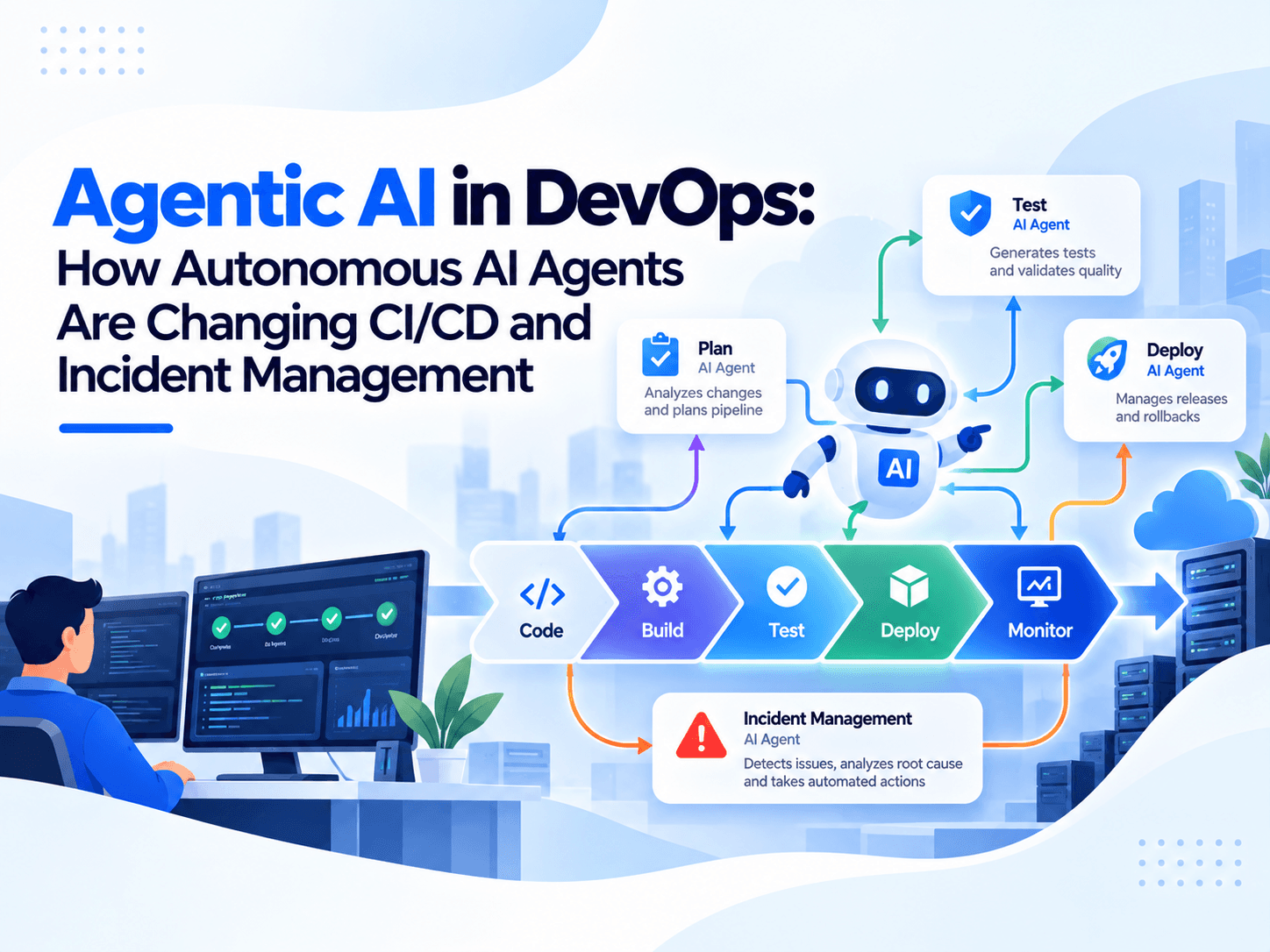
Quick Summary :- Discover how agentic AI helps DevOps teams automate CI/CD workflows, investigate production incidents, optimise testing, and improve software delivery while maintaining security and human oversight.
Agentic AI is emerging as a new approach to software delivery, where AI systems can do more than generate code or answer questions. They can analyse tasks, plan workflows, use tools, evaluate results, and take actions within defined permissions. In DevOps, this creates opportunities to automate parts of the software development lifecycle, from code validation and CI/CD pipeline optimisation to incident investigation and recovery.
For engineering teams, the goal is not simply to automate more tasks. It is to reduce repetitive work, identify problems earlier, improve deployment reliability, and help developers respond to production issues faster.
Traditional DevOps automation follows predefined rules and workflows. Agentic AI introduces a more adaptive approach: an AI agent can examine a failed pipeline, gather relevant logs, identify likely causes, recommend a fix, and, when authorised, execute a recovery workflow. Multiple specialised agents can also collaborate on larger tasks involving testing, security, infrastructure, and deployment.
However, autonomous actions introduce new questions about security, permissions, reliability, accountability, and human oversight. Organisations must understand where agentic AI adds measurable value and where conventional automation remains the better choice.
This guide explores how agentic AI is changing DevOps in 2026, including CI/CD automation, incident management, practical use cases, implementation strategies, tools, benefits, risks, and performance measurement.
1. What Is Agentic AI in DevOps?
Agentic AI in DevOps refers to the use of AI agents that can understand operational goals, break them into tasks, interact with development and infrastructure tools, and take controlled actions based on their findings.
Unlike a traditional script that follows fixed instructions, an AI agent can use context to decide which investigation or action should come next. Depending on its configuration, it may analyse a failed build, retrieve deployment logs, compare configuration changes, or propose a solution before requesting approval.
For example, suppose a CI/CD pipeline fails after a developer pushes a new code change. A traditional workflow might stop the pipeline and notify the developer. An agentic workflow could inspect the failed test, compare recent changes, retrieve relevant logs, identify a likely dependency conflict, and recommend a fix.
The key distinction is that traditional automation executes predefined steps, while agentic AI can reason through a task and select from available actions within its permitted boundaries.
Agentic AI does not eliminate the need for scripts, pipelines, monitoring systems, or engineering expertise. Instead, it can coordinate those existing capabilities to handle tasks that require investigation and decision-making.
Agentic AI vs Traditional DevOps Automation
Capability | Traditional DevOps Automation | Agentic AI in DevOps |
Workflow execution | Follows predefined rules | Selects actions based on context and goals |
Pipeline failures | Runs configured checks and notifications | Can investigate evidence and suggest possible causes |
Testing | Executes predefined test suites | Can help select relevant tests and analyse failures |
Incident response | Triggers alerts and runbooks | Can correlate evidence and propose remediation |
Infrastructure changes | Applies declared configurations | Can analyse changes and prepare proposed updates |
Decision-making | Primarily rule-based | AI-driven, with variable reliability |
Human involvement | Depends on workflow design | Needed according to risk and permissions |
Auditability | Logs configured actions | Requires explicit logging of prompts, decisions, tool calls, and outcomes |
Agentic systems can still be deterministic in parts of their workflow. For instance, an agent may decide which investigation to run, but the actual deployment, test execution, or rollback can be performed by a conventional, controlled automation system.
2. Why Agentic AI Matters for DevOps in 2026
Software engineering teams are under pressure to deliver features quickly while maintaining security, reliability, and customer satisfaction. AI-assisted development can increase the amount of code produced, but faster coding does not automatically mean faster, safer software delivery.
According to Google Cloud's 2025 DORA report, based on responses from nearly 5,000 technology professionals, 90% of respondents reported using AI at work, more than 80% reported productivity gains, and 30% reported little or no trust in AI-generated code. These findings concern AI-assisted software development broadly, not agentic DevOps specifically, but they highlight why validation and operational controls matter.
Chart: AI Adoption and Perceptions in Software Development
Measure | Percentage |
Respondents using AI at work | 90% |
Respondents reporting productivity gains | More than 80% |
Respondents reporting little or no trust in AI-generated code | 30% |
Google Cloud, 2025 DORA report.
These figures describe survey responses, not measured outcomes from agentic DevOps implementations.
Agentic AI offers a potential way to address some of the operational work that sits between writing code and running it in production.
Consider a development team that releases several updates each day. Every release may require test analysis, security checks, environment validation, deployment monitoring, and incident readiness. When those processes are disconnected, engineers spend time switching between dashboards, reading logs, and coordinating handoffs.
An agent can help bring this information together and recommend the next action. A team might use one agent for test failures, another for security findings, and another for deployment health, with a central workflow coordinating the results.
The opportunity is not simply to add more AI tools. It is to connect AI capabilities to a well-designed software delivery process.
3. How Agentic AI Changes the CI/CD Pipeline
Continuous integration and continuous delivery or deployment (CI/CD) provide the foundation for reliable software delivery. Agentic AI can add an intelligence layer to existing pipelines without replacing their core execution mechanisms.
3.1 Intelligent Pipeline Failure Analysis
Pipeline failures can result from syntax errors, dependency conflicts, flaky tests, configuration drift, infrastructure limitations, or changes in application behaviour.
A conventional pipeline reports which step failed. An AI agent can investigate the failure by examining:
- Build and test logs.
- Recent commits and pull requests.
- Dependency version changes.
- Previous failures with similar symptoms.
- Relevant environment configuration.
- Test history and known flaky tests.
The agent can then generate a ranked list of likely causes and link each hypothesis to supporting evidence.
For example, if a build fails immediately after a dependency upgrade, the agent may compare package versions, inspect the error trace, and identify an incompatible API as a possible cause.
This does not guarantee that the diagnosis will be correct. Engineers should be able to review the evidence, reproduce the problem, and approve code changes before they enter a protected branch.
3.2 Adaptive Test Selection
Large applications may have extensive test suites that take considerable time to execute. Running every test after every small change can slow feedback, while running too few tests can miss regressions.
An agent can help select additional tests based on:
- The files and modules modified.
- Dependency relationships.
- Previous failures.
- Test coverage information.
- The severity of the potential impact.
- The risk associated with the proposed release.
A change to authentication, for example, may justify broader security and integration testing than a minor copy change.
However, selective testing should complement mandatory quality gates rather than silently bypass them. Critical regression tests, security checks, and release requirements should remain enforced.
3.3 CI/CD Pipeline Optimisation
Agentic AI can analyse pipeline duration, queue times, resource utilisation, failed jobs, repeated executions, and dependencies between pipeline stages.
Based on that evidence, an agent might recommend parallelising independent tests, caching dependencies, reducing unnecessary builds, or moving inexpensive validation earlier in the workflow.
Pipeline Problem | Potential Agent Action | Expected Benefit |
Repeated dependency downloads | Recommend or configure caching | Less repeated work |
Slow independent test jobs | Identify safe parallel execution | Shorter feedback cycles |
Repeated flaky test failures | Group failures and investigate patterns | Less wasted debugging time |
Redundant build stages | Identify duplicate work | More efficient pipelines |
Resource-heavy test environments | Analyse usage and recommend sizing | Better resource utilisation |
Recurring deployment errors | Compare release and environment histories | Earlier detection of patterns |
These benefits must be measured in the actual pipeline. An agent may also introduce extra latency, cost, or complexity, particularly when every decision requires a separate model call.
3.4 Automated Release Risk Assessment
Before a release, an agent can assemble information about code changes, test results, security findings, infrastructure modifications, and service health.
It can produce a release summary that highlights:
- High-risk code changes.
- Failed or skipped tests.
- Unresolved vulnerabilities.
- Configuration differences.
- Potentially affected services.
- Missing approvals or release requirements.
A policy engine should make the final eligibility decision based on explicit release rules. The AI-generated summary can inform that decision but should not override mandatory security or compliance controls.
3.5 Deployment Monitoring and Rollback Recommendations
After deployment, an agent can correlate application errors, latency changes, resource usage, and traffic patterns with the release timeline.
If service health deteriorates, it can investigate whether the new version may be responsible and recommend pausing the rollout or initiating a rollback.
A safer implementation combines AI-driven investigation with deterministic rollback conditions. For example, a deployment controller can automatically stop a rollout when an agreed error-rate threshold is exceeded, while the agent investigates the cause.
This separation helps teams benefit from contextual analysis without relying entirely on probabilistic AI decisions for production safety.
4. Agentic AI for Incident Management and Site Reliability Engineering
Incident management is one of the most promising areas for agentic AI because engineers often need to collect information from several systems before they can understand what went wrong.
A production incident might involve an application, database, cloud infrastructure, network dependency, recent deployment, and third-party API. Each system produces different telemetry, and the relationships between them are not always obvious.
Agentic AI can assist by organising the investigation, correlating evidence, suggesting root causes, and preparing remediation steps.
AWS describes an example of this approach in its DevOps Agent autonomous incident response documentation, where investigations can be initiated from connected ticketing systems, webhooks, monitoring alerts, or manual requests. The agent develops an investigation plan, collects findings, determines a potential root cause, and offers a mitigation plan.
This demonstrates a practical workflow, but it should not be interpreted as proof that autonomous AI can resolve every incident without human involvement.
4.1 Automated Alert Investigation
When monitoring detects an issue, an agent can start by gathering relevant context.
For example, an increase in API latency might trigger the following investigation:
- Retrieve the alert details and affected service.
- Check recent deployments and configuration changes.
- Compare latency, error rates, and resource usage.
- Examine related database and downstream service metrics.
- Identify plausible causes and rank them by evidence.
- Generate a concise incident report with recommended next steps.
This process can reduce the amount of manual context gathering required before an engineer begins troubleshooting.
4.2 Root-Cause Analysis
Root-cause analysis is more difficult than identifying a correlation. A spike in database latency may coincide with a new release without being caused by that release.
An agent should therefore distinguish between confirmed observations, plausible hypotheses, and unverified assumptions.
A useful incident report might contain:
- Observed: API latency increased shortly after a deployment.
- Observed: Database connection utilisation also increased.
- Hypothesis: A change in query behaviour may have increased connection demand.
- Evidence needed: Query traces, connection pool metrics, and a comparison with the previous version.
- Recommended action: Inspect the affected query path and assess whether rollback is justified.
This evidence-based approach helps prevent teams from treating an AI-generated explanation as a confirmed root cause.
4.3 Automated Remediation
Some operational actions are suitable for automation, especially when the procedure is tested, reversible, and tightly scoped.
Examples include restarting an unhealthy non-critical worker, clearing a known-safe temporary cache, scaling a service within approved limits, or executing a documented recovery runbook.
More consequential actions, such as deleting infrastructure, modifying access controls, changing database schemas, or rolling back a critical service, need stronger safeguards.
A practical remediation policy should define:
- Which actions an agent may execute independently.
- Which actions require human approval.
- Which actions are prohibited.
- What evidence must be collected before execution.
- How changes are logged and reversed.
- How the system behaves if the agent or an integration fails.
4.4 Post-Incident Reviews
After a service is restored, an agent can help prepare an incident timeline from alerts, deployment records, logs, chat updates, and ticket history.
It can draft a post-incident review covering the impact, contributing factors, response timeline, recovery actions, and follow-up tasks.
Engineers must verify the report and ensure that it avoids unsupported conclusions or blame-oriented language. The goal is to improve systems and processes, not simply produce a polished incident document.
5. Multi-Agent AI Workflows in DevOps
A multi-agent system uses multiple AI agents with different responsibilities to complete a larger workflow. Instead of asking one agent to handle every stage, organisations can separate tasks into specialised roles and coordinate them through a controlled workflow.
For example, a software release may require code review, automated testing, security analysis, infrastructure validation, and deployment monitoring. Each stage can use an agent specialised in its own task.
Example Multi-Agent Release Workflow
Release request → Coordinator agent → Specialised agents → Policy and approval gates → Controlled deployment.
Agent | Responsibility |
Coordinator agent | Breaks down tasks and tracks progress |
Code agent | Reviews changes and dependencies |
Testing agent | Analyses test results and failures |
Security agent | Checks vulnerabilities and policies |
Infrastructure agent | Validates configuration changes |
Release controller | Enforces mandatory conditions and deployment rules |
The coordinator assigns tasks, tracks dependencies, and collects results. The code agent identifies potentially risky changes, while the testing agent examines relevant test coverage and failures. The security agent checks for policy violations, and the infrastructure agent evaluates configuration changes.
The coordinator then assembles a release summary.
If a security agent finds a critical issue, the release should be blocked by the organisation's enforced policy, not merely because another agent recommends blocking it. Similarly, a successful AI review must not substitute for mandatory test execution or required human approval.
Benefits of Multi-Agent DevOps
- Specialisation: Each agent can focus on a defined operational task.
- Parallel execution: Independent investigations may run simultaneously.
- Better context sharing: Agents can pass structured findings between stages.
- Reduced handoffs: Teams can coordinate work through a common workflow.
- Improved traceability: A central orchestration layer can record decisions and actions.
Multi-agent systems also introduce challenges. Agents may disagree, repeat work, consume excessive resources, or pass incorrect findings between one another. More agents do not automatically produce better outcomes. Start with a small workflow and add specialised agents only when they provide measurable value.
6. Agentic AI DevOps Use Cases Across the Software Development Lifecycle
Agentic AI can support multiple stages of the software development lifecycle (SDLC). The most suitable applications are usually those that involve repeated investigation, structured evidence, and well-defined actions.
SDLC Stage | Agentic AI Use Case | Potential Outcome | Important Safeguard |
Planning | Analyse requirements and identify dependencies | Better preparation | Human review of requirements |
Development | Investigate code errors and suggest fixes | Faster debugging | Code review and tests |
Code review | Flag risky changes and missing checks | More focused reviews | Do not treat AI approval as proof of correctness |
Build | Investigate failed builds | Faster diagnosis | Reproducible build validation |
Testing | Analyse failures and recommend relevant tests | Faster feedback | Mandatory tests remain enforced |
Security | Summarise vulnerabilities and prioritise findings | More focused remediation | Security policies and independent scanning |
Deployment | Prepare release risk summaries | Better-informed release decisions | Explicit release gates |
Monitoring | Correlate telemetry and deployment events | Faster investigation | Validate findings against source telemetry |
Incident response | Develop hypotheses and suggest remediation | Reduced manual investigation | Permission limits and approval gates |
Maintenance | Identify recurring incidents and outdated dependencies | Better maintenance planning | Verify proposed changes |
The best starting point is often not complete end-to-end autonomy. It is a narrow task, such as summarising pipeline failures or collecting incident evidence, where results can be evaluated against a known baseline.
7. Agentic AI DevOps Tools and Technologies to Consider
Choosing a solution depends on the existing development platform, cloud environment, monitoring stack, security requirements, and the level of autonomy required.
AWS DevOps Agent
Designed to help investigate operational incidents, identify potential causes, and recommend mitigations across connected systems. Consider it for teams working with supported AWS and third-party integrations.
GitHub Actions
Provides workflow automation for building, testing, and deploying software. AI agents can be integrated into selected workflow steps, while GitHub Actions continues to execute defined jobs and conditions.
GitLab
Combines source control, CI/CD, security workflows, and AI capabilities. Teams can evaluate its workflow options for integrating AI into software delivery with governance and traceability.
Kubernetes
Provides the orchestration foundation for containerised applications. Agents can help analyse cluster events, resource usage, and deployment health, while Kubernetes controllers manage the actual workload lifecycle.
OpenTelemetry
Collects and exports traces, metrics, and logs. These open telemetry signals can provide evidence for AI-assisted incident investigations and performance analysis.
These technologies serve different purposes: some orchestrate CI/CD workflows, others manage infrastructure or collect telemetry, and some provide AI-specific investigation capabilities. They should not be treated as interchangeable products.
Before selecting a tool, evaluate supported integrations, permissions, data handling, audit capabilities, pricing, deployment options, and whether it can operate within your existing governance framework.
8. Benefits of Agentic AI in DevOps
The value of agentic AI depends on how well it addresses an existing operational problem. Simply deploying agents across every workflow can create additional overhead without improving delivery outcomes.
Faster Incident Investigation
Agents can collect information from logs, alerts, deployment histories, and infrastructure metrics in parallel. Engineers can spend less time gathering context and more time validating causes and choosing appropriate responses.
Reduced Repetitive Engineering Work
Routine activities such as summarising test failures, preparing release notes, classifying alerts, and creating incident timelines can be partially automated. This allows developers and SREs to focus on complex engineering decisions.
Better Use of Operational Data
AI agents can connect information that is distributed across different systems. This can make recurring failures, dependency relationships, and changes in system behaviour easier to investigate.
More Consistent Operational Processes
When agents operate through approved runbooks, policy checks, and standardised workflows, teams can improve consistency in tasks such as release preparation and incident documentation.
Improved Collaboration Between Teams
Development, security, QA, and operations teams can receive structured findings through a shared workflow rather than relying exclusively on manual handoffs.
Potential Cost Optimisation
Agents can identify idle infrastructure, inefficient pipeline stages, repeated builds, and resource bottlenecks. However, recommendations should be checked against performance requirements and workload needs before implementation.
These are potential benefits, not guaranteed results. Teams should validate them using actual delivery metrics, incident records, operational costs, and feedback from engineers.
9. Challenges and Risks of Agentic AI in DevOps
Autonomous systems can create new failure modes if they receive excessive permissions or operate without reliable validation.
9.1 Incorrect AI-Generated Decisions
An agent may misinterpret logs, overlook a dependency, or recommend a change that fixes one service while breaking another.
How to address it: Require evidence-backed recommendations, validate changes in test environments, and enforce automated quality gates.
9.2 Excessive Permissions
An agent with unrestricted production access could accidentally delete resources, expose sensitive information, or modify critical infrastructure.
How to address it: Use least-privilege access, short-lived credentials, scoped permissions, and approval requirements for sensitive actions.
9.3 Security Vulnerabilities and Prompt Injection
Logs, issue descriptions, repository files, and external tool outputs may contain untrusted instructions. An agent that treats this content as authoritative could be manipulated into taking unintended actions.
How to address it: Separate trusted system instructions from untrusted data, validate tool inputs, restrict network access, protect credentials, and require policy checks before executing sensitive operations.
9.4 Unpredictable Costs
Frequent model calls, long investigation histories, repeated agent retries, and multi-agent coordination can increase costs.
How to address it: Set budgets, limit retries, cache appropriate results, use smaller models for simpler tasks, and track cost per successfully completed workflow.
9.5 Lack of Explainability
A recommendation without supporting evidence is difficult for an engineer to validate, particularly during a high-pressure production incident.
How to address it: Require agents to provide source links, timestamps, relevant log excerpts, uncertainty, and the reasoning behind recommended actions.
9.6 Over-Automation
Automating every operational decision can weaken human oversight and introduce unnecessary complexity.
How to address it: Automate evidence gathering and low-risk, reversible tasks first. Expand autonomy only when the workflow has demonstrated reliable performance.
10. Agentic AI vs Traditional DevOps Automation: Which Approach Should Teams Use?
Agentic AI and traditional automation solve different problems. A mature DevOps environment usually benefits from combining both approaches.
Evaluation Criterion | Traditional Automation | Agentic AI |
Predictable repetitive tasks | Excellent fit | Often unnecessary |
Fixed build and deployment steps | Excellent fit | Useful for analysis around the workflow |
Investigating unfamiliar failures | Requires predefined logic or manual work | Can help investigate contextually |
Executing approved runbooks | Reliable when well tested | Can help select an applicable runbook |
Unstructured log analysis | Requires additional tooling | Can summarise and correlate evidence |
High-risk infrastructure changes | Controlled automation with approvals | Recommendations should be reviewed and constrained |
Operational cost predictability | Usually easier to estimate | Model and orchestration costs add variability |
Repeatability | High for fixed workflows | Requires evaluation and controls |
For example, use a CI/CD pipeline to execute mandatory tests, enforce branch policies, and deploy approved artefacts. Use an AI agent to investigate a failed test, summarise the release risk, or recommend a solution.
This hybrid model preserves the predictability of established DevOps practices while adding AI where contextual reasoning is useful.
11. How to Implement Agentic AI in DevOps: A Step-by-Step Roadmap
Organisations should introduce agentic AI gradually, beginning with a problem that can be measured and safely tested.
Step 1: Identify a High-Value Operational Problem
Review incident records, failed builds, repetitive support tasks, and deployment bottlenecks. Choose one problem, such as lengthy pipeline failure investigations, instead of attempting to automate the entire SDLC at once.
Step 2: Establish a Baseline
Record current investigation time, pipeline duration, failure rates, engineer effort, and relevant costs. Without a baseline, it is difficult to determine whether AI is producing a meaningful improvement.
Step 3: Connect the Necessary Data Sources
Integrate only the systems required for the selected use case, such as source control, CI/CD logs, monitoring dashboards, incident tickets, or infrastructure configuration repositories.
Step 4: Define the Agent's Responsibilities
Specify its inputs, permitted tools, expected outputs, prohibited actions, and escalation conditions. Make the agent's scope narrow enough to test reliably.
Step 5: Start in Read-Only Mode
Allow the agent to investigate and recommend actions without changing production systems. Compare its findings with engineers' diagnoses and verify whether its recommendations are correct.
Step 6: Introduce Controlled Execution
Once results are reliable, allow selected low-risk actions through approved workflows. Keep human approval for sensitive changes and enforce mandatory security and release policies.
Step 7: Evaluate and Improve Continuously
Review successful investigations, incorrect diagnoses, unnecessary actions, model costs, and engineer feedback. Expand to additional workflows only when the first use case demonstrates measurable value.
A pilot should also include a fallback mechanism. If an agent is unavailable, produces an invalid result, or reaches its execution limit, the underlying pipeline or incident process should continue through its established recovery path.
12. How to Measure Agentic AI DevOps Performance
The number of tasks completed by an agent is not enough to establish business value. Teams must measure whether it improves software delivery, operational reliability, security, and engineering efficiency.
DORA's 2025 research on AI-assisted software development emphasises that AI amplifies existing organisational strengths and weaknesses. This supports measuring the overall delivery system rather than judging an AI tool solely by its apparent productivity.
Metric | What It Measures | How to Use It |
Deployment frequency | How often changes reach production | Check whether releases become easier to deliver |
Lead time for changes | Time from a code change to delivery | Identify whether automation reduces delivery delays |
Change failure rate | Proportion of deployments requiring remediation or causing failure | Ensure faster delivery does not undermine stability |
Failed deployment recovery time | Time required to restore service after a deployment-related failure | Evaluate release and recovery improvements |
Mean time to acknowledge (MTTA) | Time from incident detection to acknowledgement | Assess whether alerts reach responders faster |
Mean time to resolution (MTTR) | Time required to resolve incidents, using a consistent definition | Measure incident-response efficiency |
Agent recommendation acceptance rate | Proportion of recommendations accepted by reviewers | Assess practical usefulness, alongside correctness |
Agent action success rate | Proportion of authorised actions completed correctly | Measure execution reliability |
Escalation rate | Proportion of tasks requiring human intervention | Understand autonomy boundaries and workload |
Cost per successful task | Model, infrastructure, and operational cost per completed outcome | Evaluate financial value |
Use consistent definitions across the baseline and pilot periods. For example, a lower MTTR is useful only if the team has not compromised service quality, and a high recommendation acceptance rate is not meaningful if reviewers accept incorrect recommendations.
Illustrative Example: Measuring a Pilot
Suppose an engineering team investigates CI failures manually and spends an average of 30 minutes gathering evidence for each failure. After introducing an agent, the team measures the same activity over a comparable period.
The following figures are hypothetical and illustrate how a team could calculate its results.
Measure | Before Pilot | After Pilot |
Average evidence-gathering time | 30 minutes | 18 minutes |
Time saved per investigation | — | 12 minutes |
Relative reduction in gathering time | — | 40% |
The relative reduction is calculated as:
Reduction (%) = ((Before − After) / Before) × 100
Reduction (%) = ((30 − 18) / 30) × 100 = 40%
This represents a hypothetical 40% reduction in evidence-gathering time, not a verified industry benchmark or a guarantee of agentic AI performance.
The team should also examine diagnosis accuracy, total incident resolution time, false recommendations, additional model costs, and engineer satisfaction before deciding whether to expand the pilot.
13. Best Practices for Deploying Agentic AI in DevOps
Engineering teams should follow practical principles to make agentic workflows safer and more effective.
- Keep agents task-specific. Assign a clear purpose and measurable success criteria to each agent.
- Preserve existing quality gates. AI must not bypass mandatory tests, security scans, approvals, or release requirements.
- Use least-privilege access. Give agents only the permissions required for their assigned work.
- Require evidence for recommendations. Connect findings to logs, metrics, traces, commits, or other verifiable sources.
- Separate analysis from execution. Let the agent recommend a change while controlled systems enforce policy and perform the action.
- Maintain complete audit trails. Record relevant inputs, tool calls, decisions, approvals, and outcomes.
- Set explicit cost and retry limits. Prevent agents from entering expensive loops or repeatedly invoking tools without progress.
- Test failure scenarios. Evaluate incorrect diagnoses, unavailable integrations, malformed outputs, and interrupted workflows.
- Protect sensitive data. Apply access controls, redaction, retention rules, and appropriate data-handling policies.
- Keep humans responsible for high-impact decisions. Define escalation paths for production incidents, security exceptions, and irreversible actions.
These practices help ensure that agentic AI strengthens the delivery process rather than creating another layer of operational risk.
14. The Future of Agentic AI in DevOps
Agentic AI is likely to become an increasingly important part of software delivery as organisations improve their infrastructure, observability, security controls, and AI governance.
Several developments are worth watching.
Self-Healing Infrastructure
AI agents may increasingly help detect abnormal behaviour, identify likely causes, and initiate approved recovery workflows. Reliable self-healing will depend on predefined safety conditions, tested remediation procedures, and rollback mechanisms.
Autonomous CI/CD Orchestration
Agents may coordinate testing, security analysis, release preparation, and deployment monitoring across complex delivery pipelines. Mandatory checks and release policies will remain essential.
AI-Assisted Site Reliability Engineering
Operational agents may help engineers investigate incidents, correlate telemetry, identify recurring failures, and prepare remediation plans across distributed services.
Multi-Agent Software Delivery
Specialised agents may collaborate across code review, testing, security, and infrastructure operations, with orchestration systems coordinating their activities.
Governed AI Operations
Organisations will need stronger controls over agent identity, tool permissions, model costs, decision records, and operational accountability as AI systems receive access to more tools.
The direction is clear: DevOps teams can move beyond automating individual tasks toward coordinating intelligent workflows. However, successful adoption will depend on reliable engineering foundations, appropriate governance, and evidence that the new approach improves actual delivery outcomes.
Conclusion
Agentic AI is changing how engineering teams approach CI/CD automation, incident management, infrastructure operations, and software delivery. By investigating pipeline failures, analysing production telemetry, coordinating specialised agents, and recommending remediation, AI agents can reduce repetitive operational work and help engineers make better-informed decisions.
However, autonomous systems are not a replacement for established DevOps practices. Automated testing, version control, observability, security policies, and human accountability remain essential for reliable software delivery.
Organisations should start with a clearly defined use case, establish measurable baselines, test agents in read-only environments, and introduce execution permissions gradually.
The most effective approach is to combine the reasoning capabilities of agentic AI with the predictability of traditional automation. Engineering teams that follow this approach can explore the benefits of AI-driven DevOps while maintaining control over production systems, software quality, security, and operational costs.
Frequently Asked Questions
Agentic AI uses AI agents to investigate problems, coordinate workflows, and perform approved software delivery and operational tasks.
It can investigate failed builds, analyse test results, identify bottlenecks, and recommend pipeline improvements.
It can automate selected, low-risk recovery actions, but high-impact incidents often require human approval and supervision.
Traditional automation follows predefined rules, while agentic AI can adapt its investigation and select actions based on context.
No. Teams should first establish reliable pipelines, monitoring, security controls, and measurable operational objectives.
13 min read

Dhruv Patel
Dhruv Patel is the CEO of Zyora Global, bringing a strong technology background and a passion for building scalable digital solutions. With expertise in software development, product strategy, and business growth, he leads the company in delivering innovative web, mobile, AI, and enterprise solutions that help businesses accelerate their digital transformation.