


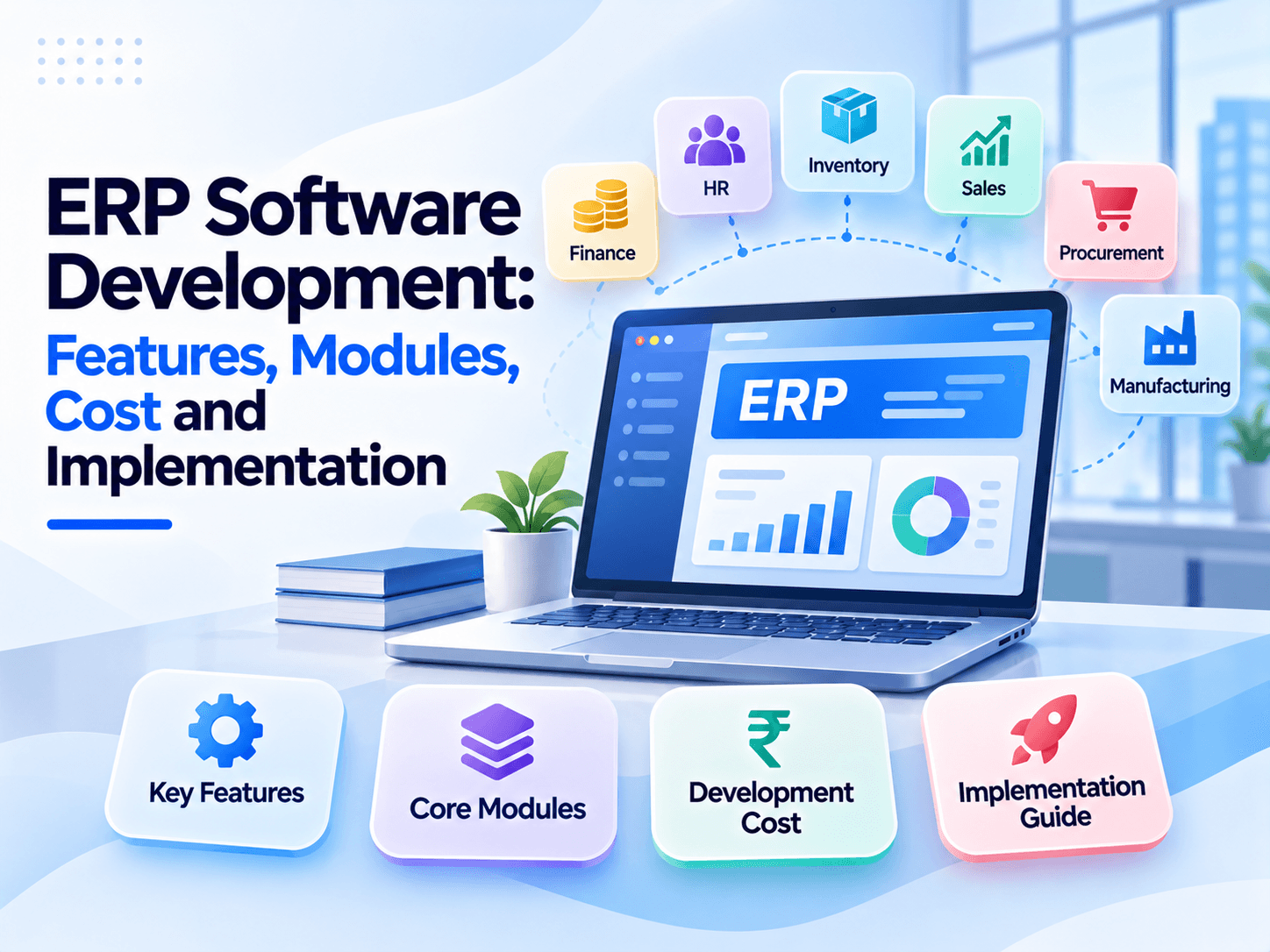
Quick Summary :- ERP software development helps businesses manage finance, inventory, procurement, human resources, sales, production and other operations through a centralized platform. Instead of depending on disconnected tools and manual processes, organizations can use custom ERP systems to connect departments, automate workflows and access real-time business information. This guide explains ERP software features, essential modules, development approaches, costs, implementation stages, challenges and best practices for building a scalable ERP solution.
As businesses grow, managing daily operations becomes increasingly complicated. A company may use one application for accounting, another for inventory management, separate spreadsheets for employee records and different systems for sales and customer information. Although these tools may work independently, managing information across multiple platforms can create operational challenges.
For example, when a sales team confirms an order, the inventory department may not receive an immediate update. The finance department might need to enter the same information manually, while management waits for reports from different departments before making decisions.
These disconnected processes can lead to duplicated records, delayed reporting, inaccurate information and unnecessary administrative work.
This is where Enterprise Resource Planning (ERP) software becomes valuable.
ERP software connects different business functions through a centralized system. It allows departments to share information, automate repetitive activities and manage operations through a unified platform.
However, ready-made ERP solutions may not always match the specific workflows, reporting requirements or integration needs of every organization. Businesses with specialized operations may benefit from custom ERP software development, where the system is designed around their processes.
According to Oracle's ERP overview, ERP systems integrate business processes and functions into a unified system, helping organizations manage information and operations more effectively.
In this guide, we will explore how ERP software development works, which modules businesses need, what features should be included, how much development can cost and how organizations can successfully implement an ERP platform.
What Is ERP Software Development?
ERP software development is the process of designing, building, testing and deploying an enterprise resource planning system that connects an organization's business activities through a centralized digital platform.
An ERP application typically consists of multiple interconnected modules. Each module manages a specific business function, but all modules share information through a common database or integrated data architecture.
For example, when a customer places an order:
- The sales module records the customer order.
- The inventory module checks available stock.
- The procurement module identifies whether additional materials are required.
- The finance module generates an invoice.
- The warehouse module prepares the order for dispatch.
- The management dashboard updates business performance information.
All these activities can happen through one connected ERP platform rather than requiring employees to update multiple independent applications.
According to SAP's ERP guide, ERP systems use integrated modules and shared information to connect business processes and provide a unified view of organizational activities.
How Does an ERP System Work?
An ERP system works by collecting, processing and distributing business information across connected departments.
The typical ERP workflow follows these steps:
- Data collection: Employees enter business information, such as orders, invoices, employee details and inventory transactions.
- Data processing: The system processes the information according to predefined business rules.
- Module synchronization: Relevant information becomes available to connected departments.
- Workflow automation: The system triggers activities such as approval requests, stock updates and invoice generation.
- Reporting: Managers access dashboards and reports to evaluate business performance.
For instance, when a manufacturing company receives a large customer order, the ERP system can help the sales, inventory, procurement and production departments coordinate their activities using shared information.
This connected workflow reduces the need for repeated data entry and gives managers better visibility into business operations.
Why Do Businesses Need Custom ERP Software?
Not every business operates in the same way. A manufacturing company has different operational requirements from a healthcare organization, retail business, logistics provider or construction company.
Although ready-made ERP products provide standard business functions, organizations sometimes require specialized workflows, industry-specific modules and integrations that standard software cannot easily accommodate.
Custom ERP software development addresses these requirements by creating a platform around an organization's actual business processes.
Here are some reasons businesses consider developing custom ERP systems.
Centralized Business Management
When departments use different applications, information can become scattered across multiple databases and spreadsheets.
A custom ERP system brings important business information into a connected environment.
For example, business owners can access:
- Financial transactions and reports.
- Employee attendance and payroll information.
- Inventory and warehouse records.
- Customer orders and sales performance.
- Supplier and procurement details.
- Production schedules and operational reports.
This centralized approach helps employees access consistent information and reduces dependency on disconnected tools.
Automation of Repetitive Activities
Many business operations involve repetitive administrative work, including invoice preparation, purchase order approvals, employee attendance calculations and inventory updates.
Custom ERP software can automate these activities through configurable workflows.
For example, when inventory falls below a predefined threshold, the system can notify the procurement department or initiate a purchase request.
Automation reduces repetitive manual tasks and allows employees to focus on activities that require human judgment.
Better Business Visibility
Business leaders need accurate information to understand organizational performance.
When data is spread across several systems, preparing reports may require manual consolidation.
ERP software provides centralized reporting capabilities that help managers monitor revenue, expenses, inventory levels, employee performance and other business indicators.
Industry-Specific Customization
A standard ERP platform may not support every specialized business requirement.
For example:
- Manufacturing companies may need production planning and machine monitoring.
- Healthcare organizations may need patient administration and medical inventory workflows.
- Retail businesses may require point-of-sale and multi-store inventory management.
- Logistics companies may need vehicle tracking and delivery management.
- Construction companies may require project costing and contractor management.
Custom ERP development allows organizations to include these specialized capabilities without forcing their operations into an unsuitable standard workflow.
Scalability for Business Growth
Business requirements change as organizations expand.
A company that initially needs accounting and inventory management may eventually require procurement automation, multiple warehouse management, advanced reporting and additional integrations.
A scalable ERP architecture allows businesses to introduce new modules and capabilities as operational requirements evolve.
Essential ERP Software Modules
ERP modules are individual functional components that manage different areas of business operations.
Organizations can select modules according to their industry, company size, operational complexity and long-term goals.
According to Oracle's ERP modules guide, common ERP capabilities include finance, procurement, supply chain, human resources and other interconnected business functions.
Here are the most important ERP modules businesses should consider.
Finance and Accounting Module
The finance and accounting module manages an organization's financial activities through a centralized platform.
It helps finance teams monitor transactions, manage budgets, generate financial statements and maintain accounting records.
Important features include:
- General ledger management.
- Accounts payable and receivable.
- Invoice generation.
- Expense tracking.
- Budget planning.
- Tax calculations.
- Financial reporting.
- Cash flow management.
- Bank reconciliation.
For example, when a company receives an order, the finance module can record the related transaction and update the appropriate financial records.
This reduces manual accounting activities and improves financial visibility.
Inventory Management Module
The inventory management module helps businesses track products, raw materials, finished goods and warehouse stock.
It is particularly useful for manufacturing, retail, distribution and e-commerce organizations.
Important features include:
- Real-time stock tracking.
- Stock movement management.
- Barcode and QR code integration.
- Warehouse management.
- Low-stock notifications.
- Batch and serial number tracking.
- Stock transfer management.
- Inventory valuation.
- Reorder level configuration.
For example, a retail company operating multiple stores can use an ERP inventory module to monitor stock availability across different locations.
Human Resource Management Module
The HR module manages employee-related information and administrative activities.
It helps HR departments maintain employee records, manage attendance, calculate payroll and coordinate recruitment.
Important features include:
- Employee information management.
- Recruitment and onboarding.
- Attendance tracking.
- Leave management.
- Payroll processing.
- Performance evaluation.
- Employee document management.
- Training records.
- Shift scheduling.
Integrating HR with other ERP modules can also help organizations manage salary expenses and employee-related financial reporting.
Sales and Customer Management Module
The sales module manages customer orders, quotations, sales activities and order processing.
It helps sales teams monitor business opportunities and coordinate with inventory and finance departments.
Important features include:
- Customer database.
- Lead management.
- Sales order processing.
- Quotation generation.
- Order tracking.
- Sales forecasting.
- Customer communication history.
- Sales performance reports.
For example, when a sales representative confirms an order, the ERP system can automatically share the relevant information with inventory and finance teams.
Procurement Management Module
The procurement module manages purchasing activities, supplier relationships and purchase approvals.
It helps organizations maintain better control over purchasing operations.
Important features include:
- Supplier information management.
- Purchase requisitions.
- Purchase order generation.
- Approval workflows.
- Supplier performance tracking.
- Purchase invoice management.
- Procurement reporting.
- Contract management.
Businesses can also configure approval rules based on purchase amounts, departments or management responsibilities.
Manufacturing and Production Module
Manufacturing companies require specialized capabilities to coordinate production activities.
The manufacturing module helps manage raw materials, production schedules, work orders and finished goods.
Important features include:
- Bill of Materials (BOM).
- Production planning.
- Work order management.
- Material Requirements Planning (MRP).
- Production scheduling.
- Quality control.
- Machine utilization tracking.
- Work-in-progress monitoring.
- Production cost analysis.
For example, when a manufacturing business receives a new order, the system can compare required materials with available inventory and help determine whether additional procurement is necessary.
Supply Chain Management Module
The supply chain module connects procurement, inventory, logistics and distribution activities.
It provides visibility into how materials and products move throughout the business.
Important features include:
- Supplier coordination.
- Demand forecasting.
- Shipment tracking.
- Warehouse coordination.
- Distribution management.
- Order fulfillment.
- Delivery scheduling.
- Supply chain reporting.
This module is particularly valuable for businesses that manage multiple suppliers, warehouses and distribution locations.
Project Management Module
Businesses that manage client projects, internal assignments or long-term contracts can benefit from an ERP project management module.
Important features include:
- Project planning.
- Task assignment.
- Resource allocation.
- Project budgeting.
- Timesheet management.
- Milestone tracking.
- Project expense management.
- Progress reporting.
It helps project managers compare planned resources, actual expenses and project progress.
Customer Relationship Management (CRM) Module
A CRM module manages customer interactions, sales opportunities and customer-related information.
Although CRM can operate as a separate platform, integrating it with ERP allows organizations to connect customer activities with financial and operational data.
Important features include:
- Contact management.
- Lead tracking.
- Sales pipeline management.
- Customer support records.
- Follow-up scheduling.
- Customer activity history.
- Sales analytics.
Business Intelligence and Reporting Module
The business intelligence module converts operational information into reports, dashboards and performance insights.
It helps management understand how different areas of the organization are performing.
Important features include:
- Customizable dashboards.
- Financial reports.
- Sales analytics.
- Inventory analysis.
- Operational KPIs.
- Department-wise reporting.
- Data visualization.
- Scheduled report generation.
The growing importance of analytics is also reflected in Panorama Consulting Group's 2026 ERP Report announcement: 55.3% of surveyed organizations reported significant deployment of business intelligence initiatives.
This finding highlights why reporting and analytics capabilities deserve attention when planning modern ERP platforms.
ERP Modules Comparison Table
ERP module | Primary purpose | Main users |
Finance | Financial management | Finance teams |
Inventory | Stock management | Warehouse teams |
HR | Employee management | HR teams |
Sales | Order processing | Sales teams |
Procurement | Purchasing management | Procurement teams |
Manufacturing | Production planning | Production teams |
Supply Chain | Logistics coordination | Operations teams |
Project Management | Project tracking | Project managers |
CRM | Customer management | Sales and support |
Business Intelligence | Reporting and analytics | Management |
Not every business requires all ten modules. Selecting the right combination helps control development costs and prevents unnecessary system complexity.
Essential Features of Modern ERP Software
Beyond individual modules, an ERP system needs common features that allow different departments to work together effectively.
Role-Based Access Control
Different employees require different levels of system access.
For example, finance employees should access financial records, while warehouse employees should primarily access inventory-related information.
Role-based access control allows administrators to assign permissions according to job responsibilities.
Real-Time Data Synchronization
ERP software should maintain consistent information across connected modules.
When an employee updates an order, inventory availability, financial records and relevant dashboards should reflect the change according to the configured business workflow.
Workflow Automation
Workflow automation allows organizations to configure business activities that occur automatically after specific events.
Examples include:
- Purchase approval notifications.
- Invoice generation.
- Low-stock alerts.
- Employee leave approvals.
- Payment reminders.
- Order status updates.
Customizable Dashboards
A dashboard provides an overview of important business information.
Organizations should be able to configure dashboards according to employee roles and reporting requirements.
For example, a business owner may need revenue and profitability information, while a warehouse manager may need stock levels and pending dispatches.
Third-Party Integrations
ERP platforms often need to communicate with external business applications.
Common integrations include:
- Payment gateways.
- Banking systems.
- E-commerce platforms.
- CRM applications.
- Payroll software.
- Shipping providers.
- Tax and accounting services.
- Business intelligence platforms.
Integration requirements should be identified early because they can influence ERP architecture and development costs.
Mobile Accessibility
Mobile access allows authorized employees to view business information and complete selected activities outside the office.
For example, sales representatives can check inventory availability, managers can approve purchase requests and warehouse supervisors can update stock information through mobile devices.
Data Security and Audit Logs
ERP platforms store sensitive business information, including financial records, employee details and customer data.
Essential security capabilities include:
- Multi-factor authentication.
- Role-based permissions.
- Data encryption.
- Secure API communication.
- Activity logging.
- Automated backups.
- Session management.
- Audit trails.
Security requirements should be included from the beginning rather than added only after development is complete.
Types of ERP Software Deployment
Before starting ERP software development, businesses need to decide how the platform will be hosted and accessed.
The deployment model influences infrastructure requirements, maintenance responsibilities, security controls and long-term costs.
There are three common ERP deployment approaches.
Cloud-Based ERP
Cloud ERP is hosted on cloud infrastructure and accessed through the internet.
Businesses do not need to maintain all application infrastructure on their own premises. The hosting provider or cloud service provider supports the underlying infrastructure, depending on the selected service model.
Advantages:
- Access from different locations.
- Flexible infrastructure scaling.
- Reduced on-premises hardware requirements.
- Centralized updates and maintenance.
- Easier support for distributed teams.
- Integration with cloud-based applications.
Best for: Startups, SMEs and enterprises looking for flexible infrastructure and remote accessibility.
On-Premises ERP
An on-premises ERP system is installed and operated on infrastructure controlled by the organization.
The business manages its servers, infrastructure, maintenance and security responsibilities.
Advantages:
- Greater direct control over infrastructure.
- Customizable deployment environment.
- Control over data storage locations.
- Integration with certain internal systems.
- More control over infrastructure configurations.
Best for: Organizations with specialized infrastructure requirements, strict internal policies or specific data-control needs.
Hybrid ERP
Hybrid ERP combines cloud-based and on-premises infrastructure.
For example, a manufacturing organization may maintain certain production systems locally while using cloud-based finance and reporting applications.
Advantages:
- Flexible deployment options.
- Support for existing infrastructure.
- Gradual cloud migration.
- Different hosting choices for different workloads.
- Integration between local and cloud applications.
Best for: Businesses that need to maintain existing infrastructure while adopting modern cloud technologies.
ERP Deployment Models Comparison
Factor | Cloud ERP | On-Premises ERP | Hybrid ERP |
Hosting | Cloud provider | Business infrastructure | Both |
Initial infrastructure | Usually lower | Usually higher | Depends on setup |
Maintenance | Shared/provider-supported | Business-managed | Shared |
Scalability | Flexible | Hardware-dependent | Flexible but complex |
Remote access | Generally easier | Requires configuration | Depends on architecture |
Infrastructure control | Provider-dependent | Greater direct control | Mixed |
The right deployment model depends on business requirements, infrastructure capabilities, security policies and available resources.
Custom ERP Development vs Ready-Made ERP Software
One of the most important decisions businesses make is whether to develop a custom ERP platform or purchase an existing ERP product.
Both approaches have advantages, and the right choice depends on operational requirements.
Custom ERP Software Development
Custom ERP software is designed specifically for an organization's workflows and requirements.
The development team studies business processes and builds the necessary modules, integrations and reporting capabilities.
Advantages:
- Business-specific workflows.
- Custom module development.
- Flexible user interface.
- Greater control over feature priorities.
- Tailored integrations.
- Architecture designed around future requirements.
Limitations:
- Requires development planning.
- Initial investment can be higher.
- Requires ongoing maintenance.
- Development and testing take time.
- Business teams need to participate in requirement gathering.
Ready-Made ERP Software
Ready-made ERP software provides prebuilt modules that organizations can configure and use.
Businesses generally purchase licenses or subscriptions and customize selected features according to their needs.
Advantages:
- Faster initial deployment.
- Existing business modules.
- Established documentation.
- Vendor support options.
- Prebuilt integrations in some products.
Limitations:
- Licensing or subscription expenses.
- Customization restrictions.
- Dependence on vendor updates.
- Potential limitations in specialized workflows.
- Additional costs for extensions and integrations.
Custom ERP vs Ready-Made ERP
Comparison | Custom ERP | Ready-Made ERP |
Development | Built for specific requirements | Prebuilt software |
Initial setup | Requires development | Usually faster |
Customization | High flexibility | Depends on product |
Ownership | Depends on contract and IP agreement | Vendor-controlled product |
Maintenance | Development team or internal IT | Vendor and internal team |
Integration | Can be designed for specific systems | Depends on available connectors |
Cost structure | Development and maintenance | Licensing, subscription and customization |
Which option should businesses choose?
Custom ERP development may be appropriate when an organization has specialized processes, complex integrations or requirements that existing products cannot satisfy efficiently.
Ready-made ERP software may be more suitable when standard business functionality is sufficient and faster implementation is a priority.
Businesses should compare the total cost of ownership rather than looking only at the initial purchase or development price.
ERP Software Development Cost in 2026
ERP software development cost depends on the system's complexity, number of modules, integration requirements, security needs, deployment model and development team's expertise.
A basic ERP platform with finance, inventory and user management requires fewer resources than an enterprise ERP solution supporting manufacturing, multiple warehouses, complex approval workflows and advanced reporting.
There is no single development price that applies to every business.
Estimated Custom ERP Development Cost
The following figures are illustrative planning estimates in India, not published industry averages or vendor quotations.
ERP complexity | Estimated development cost |
Basic ERP system | ₹5 lakh – ₹12 lakh |
Mid-level ERP system | ₹12 lakh – ₹30 lakh |
Advanced ERP system | ₹30 lakh – ₹60 lakh |
Enterprise ERP platform | ₹60 lakh – ₹1.5 crore+ |
Actual costs can vary significantly depending on the project scope, technology, integrations and implementation requirements.
Factors That Influence ERP Development Cost
1. Number of Modules
Each additional module requires business logic, database structures, user interfaces, testing and integration.
For example, an ERP platform with accounting and inventory modules will generally require less development effort than one that also includes manufacturing, HR, procurement and supply chain management.
2. Software Complexity
Simple workflows are easier to implement than complicated business rules involving multiple approval levels, departments and locations.
3. Third-Party Integrations
Integrating payment gateways, banking platforms, CRM applications, e-commerce systems and external services increases development and testing requirements.
4. UI/UX Design
An ERP application needs clear navigation, role-specific dashboards, accessible forms and consistent interfaces.
A more customized user experience may require additional design and development effort.
5. Data Migration
Moving information from spreadsheets, legacy databases and existing applications requires data cleaning, mapping, validation and testing.
6. Security Requirements
Advanced authentication, permission management, encryption, audit logging and compliance-related controls can increase development complexity.
7. Infrastructure and Hosting
Cloud hosting, database services, backup systems, monitoring and storage requirements contribute to ongoing operational expenses.
How to Reduce ERP Development Costs
Businesses can manage ERP development expenses through careful planning.
- Start with essential modules rather than building everything at once.
- Prioritize features according to operational importance.
- Reuse proven components where appropriate.
- Define integration requirements before development.
- Clean existing data before migration.
- Use phased development and deployment.
- Test workflows throughout development.
- Avoid unnecessary customization.
A well-defined project scope helps reduce unexpected expenses and prevents feature additions from continuously extending the development timeline.
ERP Software Development Process: Step-by-Step
Building an ERP platform requires coordination between business stakeholders, software developers, designers, testers and infrastructure teams.
A structured development process helps ensure the system supports actual business operations.
Step 1: Business Requirement Analysis
The first stage involves understanding how the organization operates.
The development team studies existing workflows, identifies operational problems and determines which processes should be managed through the ERP system.
Important activities include:
- Interviewing department managers.
- Understanding existing software.
- Identifying repetitive tasks.
- Documenting business workflows.
- Defining user roles.
- Identifying reporting requirements.
- Prioritizing ERP modules.
Deliverable: Business requirement specification and project scope.
Step 2: ERP Architecture Planning
After gathering requirements, the technical team designs the system architecture.
This stage determines how different modules communicate, how information is stored and how the application will scale.
Architecture decisions may include:
- Monolithic or modular architecture.
- Database selection.
- Cloud or on-premises deployment.
- API integration strategy.
- Authentication and authorization.
- Backup and recovery design.
- Infrastructure requirements.
The architecture should support future modules without requiring unnecessary changes to the entire application.
Step 3: UI/UX Design
ERP systems are used by employees across different departments, so the interface should be easy to understand.
The design team creates wireframes, prototypes and user interface layouts.
Important design considerations include:
- Role-specific dashboards.
- Easy navigation.
- Search and filtering.
- Data-entry forms.
- Responsive layouts.
- Notification systems.
- Accessible interface elements.
A user-friendly interface can make employee training and day-to-day adoption easier.
Step 4: Database Design
ERP software handles information from several departments, making database design particularly important.
The development team defines database structures, relationships and data access patterns.
For example, a sales order may connect to:
- Customer information.
- Product records.
- Inventory transactions.
- Invoice details.
- Payment records.
- Delivery information.
Proper database design helps maintain data consistency and supports accurate reporting.
Step 5: Backend and Frontend Development
Developers build the application based on approved requirements and architecture.
The backend manages business logic, authentication, database communication and APIs.
The frontend provides interfaces through which employees interact with the ERP system.
Development can happen module by module, with integration testing performed throughout the project.
Step 6: ERP Module Integration
Individual modules must communicate correctly.
For example, sales, inventory and finance should share relevant order information without requiring repeated manual entry.
The development team implements APIs, data synchronization mechanisms and business workflows.
Step 7: Testing and Quality Assurance
Testing helps identify errors before the ERP system is released.
Important testing activities include:
- Functional testing.
- Integration testing.
- Database testing.
- Performance testing.
- Security testing.
- User acceptance testing.
- Backup and recovery testing.
Employees from different departments should participate in user acceptance testing because they understand the actual business workflows.
Step 8: Data Migration
Existing information must be transferred into the new ERP system.
This may involve data from spreadsheets, accounting software, inventory applications and legacy databases.
The migration process generally includes:
- Identifying data sources.
- Cleaning duplicate records.
- Mapping old data fields to new structures.
- Transforming information.
- Importing data.
- Validating migrated records.
Data migration should be tested before the final production transfer.
Step 9: Deployment and Employee Training
Once the ERP platform passes testing, it can be deployed into the production environment.
Employees should receive training according to their roles and responsibilities.
For example, finance employees need training on accounting workflows, while warehouse teams need guidance on stock updates, inventory transfers and order processing.
Step 10: Maintenance and Continuous Improvement
ERP development does not end after deployment.
The system requires regular monitoring, security updates, performance improvements and technical support.
Businesses should also collect employee feedback and identify opportunities to improve workflows.
Microsoft's Dynamics 365 implementation guidance describes a structured implementation lifecycle covering strategy, initiation, implementation, preparation and ongoing operations.
ERP Development Timeline
The following table provides illustrative planning ranges. Actual timelines depend on scope, team size, integration complexity and stakeholder availability.
Development stage | Estimated duration |
Requirement analysis | 2–4 weeks |
Architecture planning | 2–3 weeks |
UI/UX design | 2–4 weeks |
Core development | 8–16 weeks |
Integrations | 3–8 weeks |
Testing and QA | 3–6 weeks |
Migration and deployment | 2–4 weeks |
Some activities can happen simultaneously, so these durations should not simply be added together to calculate the total project timeline.
A basic ERP implementation may take a few months, while a complex enterprise implementation can require considerably longer.
Technology Stack for ERP Software Development
Choosing the right technology stack is important because ERP applications need to manage complex business logic, multiple users, large datasets and integrations.
The technology stack should be selected according to the application's requirements, development team's expertise, scalability expectations and infrastructure.
Here are some commonly used technologies.
Frontend Technologies
The frontend provides the interface employees use to access ERP modules.
Technology | Application |
React.js | Interactive ERP dashboards |
Angular | Enterprise web applications |
Vue.js | Lightweight application interfaces |
Next.js | Modern web application development |
HTML, CSS and JavaScript | Interface development |
React.js and Angular are useful choices for applications with complex dashboards, forms and role-based interfaces.
Backend Technologies
The backend manages application logic, workflows, authentication and database communication.
Technology | Application |
Node.js | Scalable backend applications |
Python | Business logic and data processing |
Java | Enterprise application development |
.NET | Business applications and integrations |
PHP | Web-based business applications |
The right backend depends on application complexity, integration requirements and available development expertise.
Database Technologies
ERP applications require reliable data storage and efficient access to business information.
Database | Common application |
PostgreSQL | Relational business data |
MySQL | Transactional applications |
Microsoft SQL Server | Enterprise database workloads |
MongoDB | Flexible document-based data |
Oracle Database | Enterprise data management |
For ERP platforms with highly interconnected transactional information, relational databases are often a suitable choice.
Cloud and Infrastructure Technologies
Cloud infrastructure can support ERP hosting, backups, monitoring and application scaling.
Common infrastructure platforms include:
- Amazon Web Services (AWS).
- Microsoft Azure.
- Google Cloud.
The infrastructure should be selected according to performance, availability, security and budget requirements.
Recommended ERP Technology Stack
A possible technology combination for a modern custom ERP application is:
Layer | Suggested technology |
Frontend | React.js |
Backend | Node.js or Python |
Database | PostgreSQL |
API | REST APIs |
Cloud hosting | AWS or Azure |
Authentication | OAuth 2.0 / OpenID Connect |
Version control | Git |
Testing | Jest and Playwright |
Deployment | Docker and CI/CD |
This is an example architecture rather than a universal recommendation. The final stack should be selected after understanding the business requirements.
Common ERP Implementation Challenges and How to Solve Them
ERP implementation can involve technical, operational and organizational challenges.
Even a well-developed application may fail to deliver its expected benefits if employees do not adopt it or if business processes are not properly defined.
Here are some common challenges.
Unclear Business Requirements
When organizations start development without documenting their workflows, important features may be overlooked.
This can lead to repeated changes, additional expenses and implementation delays.
Solution: Conduct requirement workshops with department managers and end users before development begins.
Data Migration Problems
Existing business records may contain duplicate entries, inconsistent formats or incomplete information.
Migrating poor-quality data into a new ERP system can affect reporting and daily operations.
Solution: Clean, validate and standardize data before migration. Perform test migrations and verify critical records.
Employee Resistance
Employees may hesitate to adopt a new ERP platform because they are comfortable with existing applications and manual processes.
Solution: Involve employees during development, provide role-specific training and explain how the new platform simplifies their daily activities.
Integration Difficulties
An ERP system may need to communicate with accounting applications, payment gateways, e-commerce platforms and other business tools.
Poorly planned integrations can create synchronization errors and duplicate records.
Solution: Define integration requirements early, use documented APIs and implement proper error handling and monitoring.
Security and Data Privacy
ERP systems may contain sensitive employee, financial and customer information.
Insufficient access controls can expose important business data.
Solution: Implement role-based permissions, encryption, multi-factor authentication, regular security assessments and audit logging.
Budget and Timeline Overruns
Unplanned features, complicated integrations and changing requirements can increase development costs.
Solution: Define project milestones, prioritize essential functionality and introduce additional features through controlled development phases.
Lack of Post-Implementation Support
Some organizations focus heavily on deployment but underestimate ongoing maintenance.
Without proper support, technical issues and changing business requirements can affect system performance.
Solution: Establish a maintenance plan covering monitoring, backups, updates, bug fixes and user support.
ERP Implementation Best Practices for Businesses
A successful ERP project requires more than selecting technologies and hiring developers.
Organizations should follow a structured implementation strategy.
1. Start with Business Objectives
Define what the ERP system should achieve. Objectives may include improving inventory accuracy, automating accounting workflows or reducing manual reporting.
2. Prioritize Essential Modules
Avoid developing every possible module in the first release. Begin with business-critical functions and expand as requirements evolve.
3. Involve Department Managers
Finance, HR, procurement, sales and operations teams should participate in requirement gathering and testing.
4. Select Scalable Architecture
Choose an architecture that supports future modules, integrations and additional users.
5. Plan Data Migration Early
Identify existing data sources and establish data quality requirements before the development process reaches its final stages.
6. Establish Security Policies
Define access permissions, authentication requirements, backup procedures and data protection policies.
7. Use Phased Implementation
Deploy critical modules first and gradually introduce additional functionality. This can reduce operational disruption and make it easier to identify problems.
8. Provide Continuous Employee Training
Training should not be limited to the initial launch. Employees need ongoing support as new features and workflows are introduced.
9. Monitor Performance
Track application response times, system availability, transaction accuracy and user activity.
10. Review Business Results
Compare ERP performance against the objectives defined before implementation. Use the findings to prioritize future improvements.
Future Trends in ERP Software Development
ERP platforms continue to evolve as businesses adopt new technologies and modernize their operational processes.
Several technology trends are influencing how organizations design and use ERP systems.
AI-Powered ERP Systems
Artificial intelligence can support ERP applications through intelligent data analysis, forecasting and automation.
Potential applications include:
- Predicting inventory requirements.
- Identifying unusual financial transactions.
- Automating document classification.
- Forecasting customer demand.
- Supporting financial analysis.
- Identifying operational inefficiencies.
However, AI-generated recommendations should be reviewed appropriately, particularly when they affect financial or operational decisions.
Predictive Analytics
Traditional ERP reporting primarily focuses on historical and current business information.
Predictive analytics adds the ability to estimate potential future outcomes using historical data, business patterns and statistical models.
For example, manufacturers can use predictive analytics to estimate material requirements, while retailers can analyze seasonal demand patterns.
Low-Code ERP Customization
Low-code development platforms allow organizations to configure selected workflows and application components with less traditional programming.
They can be useful for approval processes, internal forms and simple business automation.
However, complex ERP functionality may still require conventional software development.
IoT Integration
Internet of Things (IoT) devices can provide real-time information from machines, warehouses and production environments.
When connected to ERP platforms, this information can support inventory updates, equipment monitoring and production planning.
Cloud-Native ERP Architecture
Cloud-native technologies can help businesses build scalable applications with flexible infrastructure and modern deployment practices.
Containerization, automated deployment and modular services can support the ongoing development and maintenance of ERP applications.
Intelligent Workflow Automation
Modern ERP platforms can use automation to coordinate activities across departments.
For example, an incoming purchase request can trigger approval notifications, budget checks and procurement workflows.
These capabilities can reduce manual coordination and improve process consistency.
How to Choose the Right ERP Software Development Company
Selecting an experienced ERP development partner is an important decision because the quality of the solution depends on both technical execution and business understanding.
Before selecting a development company, consider the following factors.
Evaluation factor | What to check |
Technical expertise | Experience with modern development technologies |
ERP experience | Previous ERP projects and implementations |
Industry knowledge | Understanding of your business processes |
Integration capabilities | Experience with APIs and third-party systems |
Security practices | Authentication, permissions and data protection |
Scalability | Ability to support future growth |
Communication | Clear project reporting and collaboration |
Post-launch support | Maintenance and technical assistance |
Conclusion
ERP software development helps businesses connect their departments, automate operational workflows and manage important information through a centralized platform.
From finance and accounting to inventory, procurement, human resources, manufacturing and business intelligence, ERP systems can support multiple business activities through integrated modules.
However, successful ERP development starts with understanding business requirements. Organizations should identify operational challenges, select essential modules, choose an appropriate technology stack and establish a structured implementation plan.
Custom ERP software can be particularly valuable for businesses with specialized workflows, complex integrations or requirements that existing solutions cannot fully support. As technologies such as artificial intelligence, predictive analytics, cloud computing and IoT continue to evolve, ERP platforms are also becoming more flexible and intelligent. Businesses planning to build an ERP solution should focus on scalability, security, usability and long-term maintenance rather than considering only the initial development cost.
Frequently Asked Questions
ERP software development is the process of building an integrated application that manages business functions such as finance, inventory, HR, sales and procurement.
In India, an illustrative planning estimate ranges from ₹5 lakh for a basic system to ₹1.5 crore or more for complex enterprise platforms.
A basic ERP system may take a few months, while complex enterprise solutions can require a year or longer.
React, Angular, Node.js, Python, Java, PostgreSQL and cloud platforms such as AWS and Azure are commonly considered for ERP development.
Finance, inventory, HR, sales, procurement, manufacturing, supply chain and business intelligence are among the most common ERP modules.
18 min read

Dhruv Patel
As CEO of Zyora Global, Dhruv Patel combines technical expertise with business leadership to drive innovation and growth. With experience in software engineering, product development, and emerging technologies, he is dedicated to helping organizations turn ideas into impactful digital solutions that deliver measurable results.