


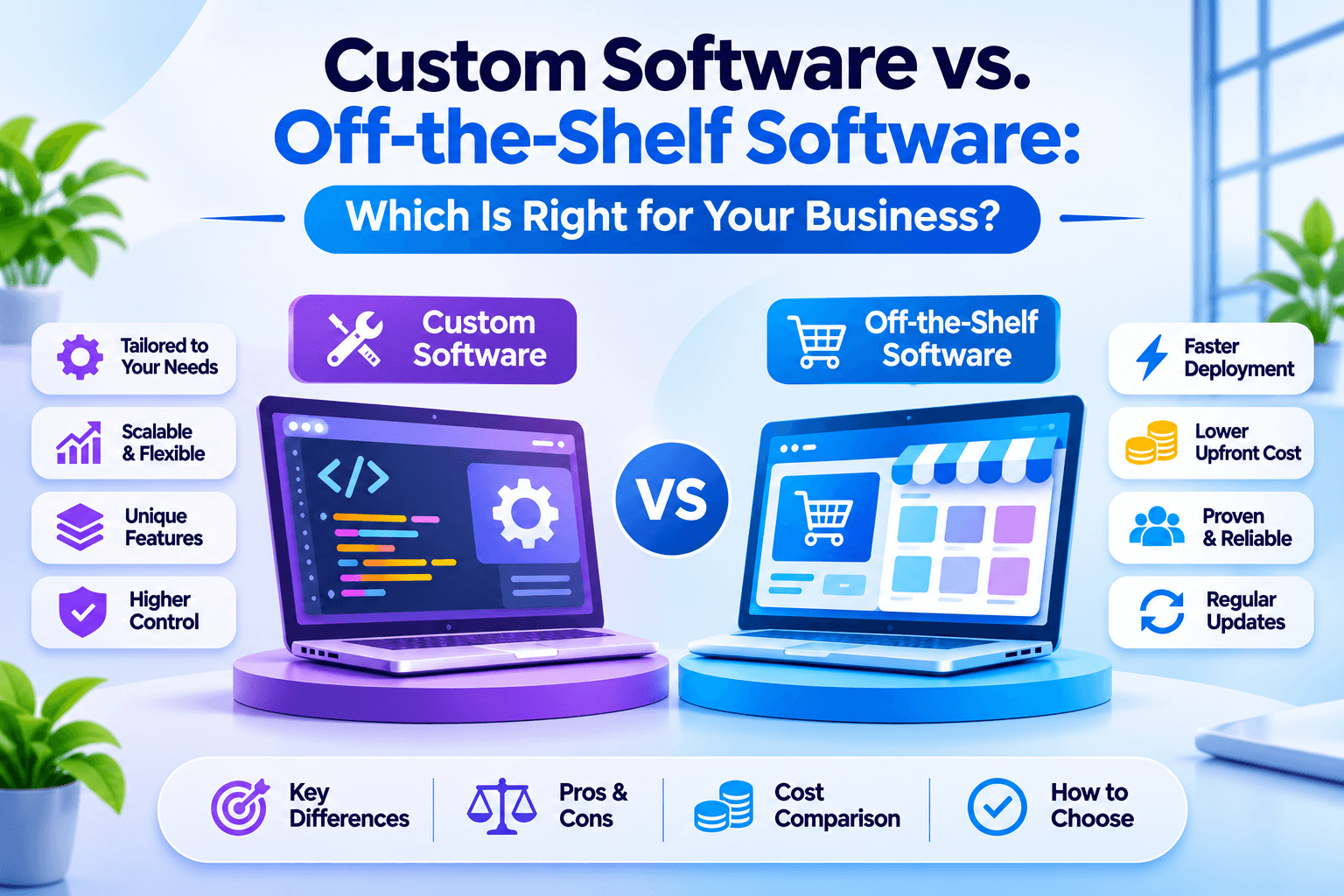
Quick Summary :- Custom software and off-the-shelf software offer different advantages for businesses. Ready-made solutions provide faster implementation and lower initial costs, while custom applications offer greater flexibility, specialized functionality, and control. This guide compares their features, costs, benefits, limitations, and use cases to help businesses choose the right software strategy. It also explores hybrid solutions that combine ready-made products with custom development.
Choosing the right software is an important business decision. The tools a company uses affect how employees work, how customers interact with the business, how information moves between departments, and how easily the organization can grow. However, when businesses decide to invest in new technology, they often face one major question: should they purchase ready-made software or develop a custom solution?
Both approaches offer advantages. Off-the-shelf software provides ready-to-use features, established support, and faster implementation. Custom software, on the other hand, is developed around specific business requirements, giving organizations greater control over workflows, integrations, functionality, and future development.
The challenge is that the cheapest option at the beginning may not always be the most cost-effective in the long run. A ready-made platform might require expensive add-ons, workarounds, or additional subscriptions as the business grows. Similarly, custom development may require a larger initial investment and ongoing technical maintenance.
The right decision depends on what your business needs today, where it expects to go, and how important its processes are to its competitive advantage.
This guide explores the differences between custom software and off-the-shelf software, including their features, benefits, limitations, costs, implementation processes, and practical use cases. It also explains how to evaluate both options and choose a software strategy that supports long-term business growth.
What Is Custom Software?
Custom software is an application or digital platform developed to meet the specific requirements of an individual business or organization. Instead of adapting business processes to an existing product, companies can develop software around their own operations, objectives, users, and workflows.
Custom solutions can be designed for internal operations, customer-facing services, employee management, data processing, business automation, or industry-specific requirements.
For example, a manufacturing company may need a platform that connects production planning, raw material inventory, supplier management, quality checks, and order tracking. While existing ERP products may provide many of these functions, the company might require specialized production rules or integrations that are not available through standard configurations.
A custom application can be designed to support those requirements.
Common examples of custom software
Software type | Business application |
Customer relationship management (CRM) | Manage leads, customer interactions, sales pipelines, and follow-ups |
Enterprise resource planning (ERP) | Connect finance, inventory, procurement, and operations |
Healthcare management systems | Manage patient registration, appointments, records, and hospital workflows |
Logistics management platforms | Coordinate shipments, routes, fleet operations, and delivery tracking |
Employee management systems | Handle attendance, payroll workflows, employee records, and approvals |
Customer portals | Provide customers with personalized services, account access, and order tracking |
Business automation platforms | Automate repetitive tasks and connect departmental workflows |
Key characteristics of custom software
- Business-specific functionality: Features are planned around actual operational requirements.
- Flexible architecture: The system can be designed to support expected business changes.
- Custom integrations: It can connect with existing databases, APIs, payment gateways, and third-party services.
- Greater control: The organization can influence development priorities, functionality, and product direction.
- Scalable development: New modules and capabilities can be introduced as requirements evolve.
Custom software is particularly useful when existing products cannot support important workflows without extensive modifications or when technology itself forms part of a company's competitive advantage.
What Is Off-the-Shelf Software?
Off-the-shelf software is a ready-made application developed for a broad market of customers. It generally includes predefined features, standard workflows, and configuration options that allow different businesses to use the same product.
Companies can purchase a license or subscribe to a cloud-based service without developing the entire application themselves.
Examples include accounting platforms, project management tools, email services, customer relationship management products, website builders, and collaboration applications.
A small business that needs accounting functionality, for example, may not need a custom accounting platform. An established accounting product can provide invoicing, expense tracking, tax calculations, and financial reports without requiring a dedicated software development project.
Common examples of off-the-shelf software
Software category | Common products | Typical purpose |
Accounting | QuickBooks and TallyPrime | Financial records, invoices, and accounting |
CRM | Salesforce and HubSpot | Customer relationships and sales management |
Project management | Asana and Trello | Task tracking and project coordination |
Collaboration | Microsoft 365 and Google Workspace | Communication, documents, and teamwork |
E-commerce | Shopify | Online stores and order management |
HR management | BambooHR | Employee records and HR administration |
Key characteristics of off-the-shelf software
- Ready-made functionality: Core features are already developed and available.
- Faster adoption: Businesses can often start using the product after configuration and setup.
- Subscription or licensing model: Pricing may depend on users, features, usage, or subscription tiers.
- Vendor support: The provider generally manages product updates, documentation, and support.
- Standardized workflows: Features are designed to serve the needs of many different customers.
- Limited product control: The vendor usually controls the product roadmap and release schedule.
Off-the-shelf software is a practical option when business requirements are common, established products meet those requirements, and the organization does not need extensive customization.
Custom Software vs. Off-the-Shelf Software: Key Differences
Although both approaches help businesses adopt technology, they differ in development, implementation, cost structure, flexibility, ownership, and maintenance.
Understanding these differences makes it easier to identify which solution is suitable for a particular business situation.
Comparison factor | Custom software | Off-the-shelf software |
Development | Built for specific requirements | Already developed |
Initial investment | Generally higher | Generally lower |
Implementation | Requires development and testing | Usually faster to configure |
Customization | High flexibility | Limited to available options |
Scalability | Can be planned around business needs | Depends on vendor capabilities and pricing |
Integration | Can be designed for specific systems | Depends on supported integrations and APIs |
Ownership | Depends on the development contract and IP agreement | Usually a license or subscription |
Maintenance | Managed internally or by a development partner | Primarily managed by the vendor |
Updates | Planned according to business requirements | Released according to the vendor roadmap |
Support | Internal team or development partner | Vendor support, depending on the plan |
Vendor dependency | Depends on hosting, tools, and support arrangements | Often greater dependency on the software provider |
Best suited for | Specialized workflows and differentiated requirements | Standard business processes |
A closer look at the differences
1. Initial cost
Off-the-shelf software usually has a lower initial cost because the product has already been developed. Businesses pay for a subscription, license, setup, or implementation service.
Custom software requires investment in discovery, design, development, testing, deployment, and project management. The initial cost can therefore be significantly higher.
2. Flexibility
Custom software offers greater flexibility because features can be designed around business requirements. Off-the-shelf products provide configuration options, but users must work within the capabilities and limitations of the product.
3. Implementation time
Ready-made software can often be configured and introduced faster. Custom software takes longer because the development team must understand requirements, create the application, test it, and deploy it.
4. Long-term control
With custom software, the organization can have more influence over future features, integrations, and technical direction. However, this depends on the ownership agreement and availability of technical resources.
With off-the-shelf software, product improvements and updates are controlled by the vendor.
5. Maintenance
The vendor generally manages infrastructure, product updates, and technical maintenance for many SaaS products. Custom software requires a planned maintenance arrangement to address bugs, security updates, performance, and changing requirements.
Why Businesses Are Reconsidering Their Software Investments
Software decisions are becoming more important as organizations depend on digital systems for daily operations, customer service, security, and business growth.
A useful example comes from Capterra's 2025 Tech Trends Survey. It found that 89% of surveyed Indian software buyers expected their organizations to spend at least 5% more on software in 2025 compared with 2024, demonstrating the importance businesses place on technology investments.
Increased spending, however, does not automatically lead to better business outcomes. Organizations need to evaluate whether their software investments solve actual problems and provide measurable value.
Another important consideration is customization. According to Capterra's 2024 research on Indian software buyer behaviour, respondents reported that an average of 71% of the software they purchased over the previous year had been customized for their needs.
This finding highlights an important point: purchasing ready-made software does not always eliminate the need for customization.
Businesses may still need additional modules, integrations, workflow changes, or configuration to make a product fit their operations.
What these findings mean for businesses
- Software purchasing should begin with business requirements rather than product popularity.
- Companies should calculate customization costs before selecting a ready-made platform.
- Organizations should evaluate how easily a product connects with existing systems.
- Long-term licensing and maintenance expenses should be included in financial planning.
- Businesses should avoid purchasing software with features they do not need.
The objective is not simply to buy more software or build more applications. It is to choose technology that makes business operations more efficient.
Advantages of Custom Software Development
Custom software development can offer significant benefits when a company has specialized requirements or needs more control over its digital operations.
Designed around business requirements
One of the biggest advantages of custom software is that the application can be planned around existing business processes.
Every organization has different workflows, approval structures, reporting requirements, and operational challenges. A standard application may not support all these requirements.
For example, a healthcare organization may need a patient management platform that connects registration, appointment scheduling, doctor availability, medical records, billing, and laboratory reports.
Custom development allows these modules to be planned around the organization's actual processes.
Greater customization and flexibility
Businesses can choose the features they need instead of relying entirely on predefined functionality.
A custom application can include:
- Role-based access control
- Custom dashboards
- Automated approval workflows
- Specialized reporting
- Business-specific notifications
- Custom data validation
- Unique customer experiences
This flexibility becomes valuable when the business has processes that are difficult to standardize.
Better integration with existing systems
Companies often use several applications to manage different departments. When these systems cannot exchange information effectively, employees may need to enter the same data multiple times.
Custom software can be developed with integration requirements in mind.
For example, an order management application could connect with:
- Inventory management software
- Payment gateways
- Accounting systems
- Shipping providers
- Customer databases
- Reporting platforms
Such integrations can reduce manual work and improve information consistency.
Scalability according to business growth
Custom applications can be designed with future expansion in mind.
A business may initially need a basic customer portal but later require additional capabilities such as subscription management, analytics, payment processing, and mobile access.
A well-planned architecture can make it easier to introduce these capabilities over time. However, scalability is not automatic. It depends on architecture, infrastructure, database design, engineering quality, and ongoing investment.
Greater control over product direction
Custom development gives businesses more influence over how their applications evolve.
Instead of waiting for a vendor to introduce a requested feature, organizations can prioritize development according to their own needs.
This can be particularly useful when the software supports a core business process or customer-facing service.
Potential competitive differentiation
If a business has a unique service model, specialized workflow, or customer experience, custom software can help turn that approach into a digital capability.
For example, a logistics company may develop a route allocation system based on its own delivery rules, vehicle types, service areas, and pricing structure.
Competitors using standard products may not have the same combination of capabilities.
Disadvantages of Custom Software Development
Despite its advantages, custom software is not automatically the right choice for every business.
Organizations should understand the potential challenges before starting a development project.
Higher initial development cost
Custom development requires a team to plan, design, build, test, and deploy the application.
The project may involve:
- Business analysts
- UI/UX designers
- Frontend developers
- Backend developers
- Database engineers
- QA testers
- DevOps engineers
- Project managers
The final cost depends on the complexity of the application, required integrations, technology stack, team structure, and project timeline.
Longer development timeline
Unlike ready-made products, custom applications must be developed before they can deliver their full functionality.
Requirements gathering, architecture planning, interface design, development, testing, and deployment all require time.
If requirements are unclear or change frequently, the project may take longer than expected.
Ongoing maintenance responsibility
After deployment, software needs continuous attention.
Businesses must plan for:
- Security patches
- Bug fixes
- Performance improvements
- Server and infrastructure management
- Database maintenance
- Compatibility updates
- Feature enhancements
Without a maintenance plan, even a well-developed application can become difficult to manage.
Dependence on technical expertise
Custom applications require access to developers or a reliable development partner.
If the original development team is no longer available and the code is poorly documented, future maintenance can become challenging.
Businesses should therefore ensure that source code, technical documentation, deployment instructions, and ownership terms are clearly defined.
Project delivery risks
Custom development projects can face scope changes, integration difficulties, testing delays, and unexpected technical problems.
A structured development process, clear requirements, milestone-based delivery, and regular reviews can reduce these risks.
Advantages of Off-the-Shelf Software
Off-the-shelf software is often the practical choice for businesses that need established functionality without investing in a complete development project.
Faster implementation
The product is already available, so businesses do not need to develop every feature from scratch.
After selecting a suitable platform, the organization can configure settings, import data, create user accounts, and begin implementation.
This can help businesses address immediate operational requirements.
Lower initial investment
Ready-made software generally costs less to start using than a custom application.
Many vendors offer monthly or annual subscription plans, allowing businesses to begin with a manageable financial commitment.
However, the total cost can increase as the number of users, required features, storage, or usage grows.
Established features
Popular business software products are often developed through continuous feedback, testing, and product updates.
Organizations can access established features without independently designing and maintaining every component.
Vendor-managed maintenance
For SaaS products, vendors usually manage the underlying infrastructure, software updates, and platform maintenance.
This reduces the need for businesses to maintain the complete technical environment themselves.
The exact responsibilities depend on the product and service agreement.
Documentation and support
Established vendors often provide product documentation, tutorials, customer support, training resources, and implementation partners.
These resources can make adoption easier, particularly for small and medium-sized businesses without large internal IT teams.
Predictable product functionality
Off-the-shelf applications provide a defined set of features and supported workflows.
This can make them suitable for standard activities such as accounting, email, document management, and project tracking.
Disadvantages of Off-the-Shelf Software
Ready-made products can solve many business problems, but they also have limitations.
Limited customization
The product is designed for a broad customer base. As a result, businesses may not be able to modify every feature or workflow.
Some vendors allow configuration, while others restrict changes to predefined options.
When a business has unusual requirements, these limitations can lead to manual workarounds.
Recurring subscription expenses
Subscription fees may seem affordable at first, but they can increase over time.
Additional expenses may include:
- Per-user charges
- Premium feature subscriptions
- Additional storage
- API usage fees
- Integration costs
- Training and onboarding
- Data migration services
Businesses should estimate these expenses over several years rather than comparing only monthly subscription prices.
Vendor dependency
When a business relies heavily on a third-party platform, changes to the vendor's pricing, features, policies, or service availability can affect operations.
A vendor may discontinue a feature, change subscription plans, or modify its integration capabilities.
Organizations should review service agreements, data export options, and migration procedures before committing.
Integration limitations
Some products provide extensive integration capabilities, while others support only selected applications or APIs.
If a business uses specialized internal systems, connecting everything may require additional middleware, connectors, or custom development.
Shared product roadmap
Businesses using off-the-shelf software generally cannot control when a particular feature is introduced.
A requested capability may not be part of the vendor's roadmap or may be available only in a higher subscription tier.
Unnecessary features
Ready-made applications often include features intended for different industries and business sizes.
Organizations may end up paying for capabilities they rarely use while still missing a few functions that are essential to their operations.
Custom Software vs. Off-the-Shelf Software: Cost Comparison
Cost is one of the most important factors in the software selection process. However, comparing only the initial development cost with a subscription fee can produce misleading results.
Businesses should evaluate the total cost of ownership (TCO), which includes the direct and indirect expenses associated with using and maintaining software over a defined period.
Costs involved in custom software development
Cost component | Description |
Discovery and planning | Requirement analysis, business research, and project planning |
UI/UX design | User journeys, wireframes, and interface design |
Development | Frontend, backend, database, and API development |
Testing | Functional, performance, security, and compatibility testing |
Infrastructure | Hosting, cloud services, databases, and storage |
Deployment | Production setup, migration, and launch |
Maintenance | Bug fixes, updates, and technical support |
Enhancements | New features and future improvements |
Costs involved in off-the-shelf software
Cost component | Description |
Subscription or license | Monthly, annual, or one-time software fees |
Implementation | Initial setup and configuration |
User licenses | Charges based on the number of users |
Customization | Additional modules, plugins, or configuration |
Integration | Connecting the product with other business systems |
Training | Helping employees adopt the application |
Data migration | Moving information from existing systems |
Upgrades | Premium plans or additional product capabilities |
Illustrative cost comparison
The following table shows a hypothetical planning example for a business evaluating a custom application against a ready-made product. These are not market averages or vendor quotations.
Cost category | Custom application | Off-the-shelf product |
Initial development or setup | ₹12,00,000 | ₹1,50,000 |
Annual licensing | ₹0 | ₹3,00,000 |
Annual maintenance and support | ₹2,00,000 | ₹75,000 |
Annual infrastructure | ₹1,20,000 | Included in subscription |
Annual integration expenses | ₹50,000 | ₹50,000 |
For this illustration, assume the custom application has no separate annual license fee and the ready-made product's subscription remains unchanged.
Illustrative three-year cost:
Expense | Custom application | Off-the-shelf product |
Initial investment | ₹12,00,000 | ₹1,50,000 |
Three-year maintenance | ₹6,00,000 | ₹2,25,000 |
Three-year licensing | ₹0 | ₹9,00,000 |
Three-year infrastructure | ₹3,60,000 | Included |
Three-year integration | ₹1,50,000 | ₹1,50,000 |
Three-year total | ₹23,10,000 | ₹14,25,000 |
Illustrative figures only. Actual costs depend on scope, vendor pricing, infrastructure, user count, contract terms, and maintenance requirements. Taxes and employee training are excluded.
In this example, off-the-shelf software costs less over three years. However, the custom application may provide business-specific capabilities that the ready-made product cannot deliver. The financial comparison should therefore be considered alongside productivity, workflow fit, revenue opportunities, and operational requirements.
How to Choose Between Custom and Off-the-Shelf Software
Selecting the right software requires more than comparing product features or development quotations. Businesses should first understand their operational challenges and then evaluate how each approach addresses them.
Here are the most important factors to consider.
Understand your business requirements
Start by identifying the problem the software needs to solve.
Ask questions such as:
- Which business processes need improvement?
- Which tasks are currently manual?
- What features are essential?
- Which departments will use the software?
- What systems need to exchange information?
- What problems should the software solve in the next three to five years?
Separate essential requirements from optional features. This helps prevent businesses from purchasing an unnecessarily complex product or developing features that provide little value.
Evaluate workflow complexity
If your business follows common processes, an existing product may already provide everything you need.
However, if your workflows involve specialized rules, multiple approval levels, industry-specific calculations, or unusual operational requirements, custom development may be more appropriate.
For example, a standard appointment scheduling tool may work for a small clinic. A multi-location healthcare organization with complex doctor availability, patient records, laboratory integrations, and billing requirements may need a more specialized platform.
Consider integration requirements
Make a list of the systems your new software must connect with.
These might include:
- Payment gateways
- Accounting applications
- CRM platforms
- ERP systems
- Inventory databases
- Customer portals
- Third-party APIs
- Cloud storage services
Check whether an off-the-shelf product provides the required integrations. If it does not, estimate the cost and complexity of building connectors or custom integration services.
Calculate the total cost of ownership
Compare the expected cost over a defined period, such as three or five years.
For custom software, include development, infrastructure, maintenance, security updates, and future enhancements.
For off-the-shelf products, include subscriptions, user licenses, implementation, add-ons, integration expenses, and possible price increases.
A fair comparison should also consider the cost of manual workarounds, duplicate data entry, and operational inefficiencies.
Evaluate security and compliance
Security requirements should be considered before selecting either option.
Businesses should assess:
- Data encryption
- Authentication and access control
- Audit logs
- Backup and recovery
- Vulnerability management
- Data residency requirements
- Regulatory obligations
- Incident response arrangements
Off-the-shelf products may provide established security controls, but organizations must verify that the specific product and subscription meet their requirements.
Custom software can be designed around particular security needs, but the organization or its development partner must implement, test, and maintain those controls.
Plan for future growth
Consider how the software will perform as the organization expands.
Will it support more users, locations, transactions, integrations, and data? Can new modules be introduced without replacing the entire application?
A product that meets current needs but cannot support expected growth may create additional migration and replacement costs later.
Assess internal technical capabilities
Custom software requires access to people who can manage its technical lifecycle.
If your organization does not have an internal development team, you may need a reliable software development partner for maintenance and support.
For off-the-shelf products, evaluate the vendor's support availability, documentation, service-level commitments, and product reliability.
When Should a Business Choose Custom Software?
Custom software is most suitable when the organization needs capabilities that are difficult to achieve through standard products.
Consider custom development in the following situations.
Business situation | Why custom software may be suitable |
Unique operational workflows | The application can follow specific business rules and processes |
Complex integrations | The system can be designed around existing applications and data |
Industry-specific requirements | Features can address specialized operational needs |
High transaction volumes | Architecture can be planned for expected workloads |
Unique customer experience | Interfaces and features can reflect the company's service model |
Proprietary business processes | Software can support capabilities that differentiate the organization |
Extensive automation needs | Repetitive processes can be automated around actual workflows |
Example: Custom software for a logistics company
Imagine a logistics business managing deliveries across multiple cities. It needs to coordinate drivers, vehicles, customer orders, delivery schedules, warehouse inventory, and proof of delivery.
A standard logistics platform may cover many common activities, but the business may have specific route allocation rules, pricing calculations, customer notification requirements, and reporting needs.
A custom platform could combine these functions into one system.
Possible modules include:
- Order management
- Fleet and driver management
- Route allocation
- Real-time shipment tracking
- Delivery confirmation
- Customer notifications
- Billing and payment management
- Performance reporting
The business can prioritize modules based on operational needs and introduce additional functionality as the platform evolves.
When Should a Business Choose Off-the-Shelf Software?
Off-the-shelf software is often the better option when the business needs common functionality that established products already provide.
Consider ready-made software in these situations.
Business situation | Why off-the-shelf software may be suitable |
Standard business operations | Existing products already support the required workflows |
Limited initial budget | Subscription pricing can reduce upfront investment |
Urgent software requirements | Ready-made applications can be configured quickly |
Small teams | Simple products may be easier to adopt and manage |
Common business functions | Accounting, email, document management, and task tracking are widely supported |
Limited technical resources | Vendor-managed maintenance can reduce internal workload |
Short-term requirements | A subscription may be more practical than a long development project |
Example: Off-the-shelf software for a small business
Consider a small consulting company with 15 employees. It needs tools for email, document sharing, accounting, task management, and customer communication.
These are common business requirements, and many established products already support them.
Developing separate custom applications for each function would require unnecessary investment and maintenance.
The company can select ready-made products, configure access permissions, and connect them where required.
This allows employees to focus on client work instead of managing a complex software development project.
Is a Hybrid Software Approach Better?
Businesses do not always need to choose between completely custom software and a fully ready-made solution.
A hybrid approach combines off-the-shelf products for standard functions with custom applications or integrations for specialized requirements.
This approach can provide a balance between speed, cost, flexibility, and control.
For example, a company might use an established accounting platform, a ready-made HR application, and a custom customer portal that connects with both.
Gartner's Build vs. Buy Strategy: Top Principles for Enterprise Applications describes a broader buy, build, and blend approach, encouraging organizations to consider combinations of purchased, developed, and integrated applications rather than treating the decision as a simple either-or choice.
Benefits of the hybrid approach
- Lower development effort: Businesses do not need to recreate standard features.
- Greater flexibility: Specialized processes can still receive custom functionality.
- Faster implementation: Existing applications can be adopted while custom components are developed.
- Better integration: APIs and middleware can connect different systems.
- More controlled investment: Companies can prioritize custom development where it delivers the greatest value.
When is a hybrid approach suitable?
A hybrid model can be useful when:
- Existing products cover most business requirements but leave a few important gaps.
- Different departments need specialized applications.
- The company wants to replace manual processes without replacing every existing system.
- Custom development is valuable for customer-facing services but unnecessary for routine internal functions.
For many organizations, the best strategy is to buy what is already available, build what makes the business different, and integrate the two effectively.
Custom Software Development Process: From Planning to Deployment
If a business decides to develop a custom application, a structured process helps control scope, cost, quality, and delivery.
Here are the key stages.
Step 1: Requirement analysis
The development team works with stakeholders to understand the business problem, user expectations, workflows, and technical requirements.
The outcome should be a clear scope that separates essential features from future enhancements.
Step 2: Project planning and architecture
The team defines the application's architecture, technology stack, database structure, integrations, infrastructure, and security requirements.
Planning should consider performance, scalability, maintainability, and expected user volumes.
Step 3: UI/UX design
Designers create wireframes, prototypes, user journeys, and interface layouts.
The objective is to make the application easy to understand and use while supporting the actual tasks employees or customers need to complete.
Step 4: Development
Developers build the frontend, backend, database, APIs, and required integrations.
Depending on the project, development may follow an Agile approach, with functionality delivered in smaller increments.
Step 5: Testing and quality assurance
The QA team checks whether the application works as expected.
Testing may include:
- Functional testing
- Integration testing
- Security testing
- Performance testing
- Usability testing
- Cross-browser and device testing
- User acceptance testing
Step 6: Deployment
The application is prepared for production, infrastructure is configured, data is migrated where necessary, and users are onboarded.
A phased rollout can help reduce operational disruption.
Step 7: Maintenance and continuous improvement
After launch, the team monitors application performance, fixes issues, applies security updates, and introduces improvements based on user feedback.
Custom software development lifecycle
- Requirement analysis
Understand business problems, users and essential features - Architecture and planning
Define technology, data, integrations and security - UI/UX design
Create user journeys, wireframes and prototypes - Development
Build application modules and integrations - Testing and QA
Validate functionality, security and performance - Deployment
Launch the application and onboard users - Maintenance
Monitor, secure and improve the application
Common Mistakes Businesses Should Avoid
Whether purchasing ready-made software or developing a custom solution, poor planning can lead to unnecessary expenses and disappointing results.
Choosing software based only on price
A low subscription price or development quotation does not guarantee long-term value.
Businesses should compare functionality, implementation effort, support, security, integrations, and future costs.
Ignoring employee requirements
Employees are often the people who use business software every day. If their needs are not considered, adoption may be poor.
Involve the people who will use the application during requirement gathering and product evaluation.
Over-customizing an existing product
Adding too many modifications to a ready-made application can increase complexity and make upgrades difficult.
Before customizing, determine whether the requirement can be addressed through configuration, an integration, or a separate application.
Underestimating data migration
Moving information from an existing system can be more complicated than expected.
Businesses should evaluate data formats, duplicate records, data quality, historical information, and migration testing before implementation.
Ignoring security requirements
Security should not be treated as a final development step.
Access controls, encryption, backups, logging, vulnerability management, and incident response should be considered from the beginning.
Failing to plan for future maintenance
Every software product needs a plan for updates, support, and ongoing improvements.
Businesses should define who will handle technical issues, how updates will be delivered, and what support arrangements will be available after launch.
Future Trends Influencing Business Software Decisions in 2026
Business software is evolving as organizations adopt cloud platforms, automation, connected applications, and AI-enabled capabilities.
These developments are influencing how businesses evaluate whether to buy, build, or combine software solutions.
AI-powered business applications
Many software vendors are introducing AI features for content generation, customer support, reporting, recommendations, and workflow automation.
Businesses can access these capabilities through ready-made products, while custom applications can integrate AI services into specialized business processes.
The important consideration is whether the feature provides measurable value and meets the organization's security and governance requirements.
Cloud-native software architecture
Cloud-based applications make it easier to access services, manage infrastructure, and support distributed teams.
Custom applications can use cloud-native services such as managed databases, serverless computing, containers, and automated deployment pipelines.
Off-the-shelf SaaS products also provide cloud access, although the vendor controls the underlying architecture.
API-driven integration
Businesses increasingly need applications to exchange data with other systems.
API-driven architecture helps connect customer platforms, payment services, databases, and enterprise applications.
Both custom and off-the-shelf software can participate in these ecosystems, provided their integration capabilities are suitable.
Low-code and no-code platforms
Low-code and no-code tools allow organizations to build certain applications and automate workflows with less traditional programming.
They can be useful for prototypes, internal tools, and relatively straightforward processes.
However, complex business logic, advanced integrations, performance requirements, and specialized security needs may still require professional software engineering.
Stronger focus on security and data governance
As businesses depend on more digital systems, they must pay attention to access management, data privacy, vendor risk, and regulatory requirements.
Organizations should assess how software providers handle data and whether the application supports the controls needed by the business.
How to Choose the Right Software Development Partner
If custom development is the right approach, selecting an experienced development partner is just as important as choosing the technology.
A good development partner should understand your business objectives and translate them into a practical technical solution.
Consider the following factors before making a decision.
1. Industry experience: Look for experience developing applications for businesses with similar operational requirements.
2. Technical expertise: Evaluate the team's experience with frontend development, backend architecture, databases, APIs, cloud infrastructure, and security.
3. Development methodology: Ask how the team manages requirements, project milestones, testing, and changing priorities.
4. Communication and transparency: Choose a partner that provides regular progress updates, clear documentation, and visibility into project costs.
5. Post-launch support: Confirm whether the company provides maintenance, monitoring, bug fixes, security updates, and future enhancements.
6. Code and IP ownership: Make sure the contract clearly defines source-code ownership, intellectual property rights, third-party licenses, and access to project documentation.
A development partner should not simply recommend custom software because it offers more development work. The recommendation should be based on the actual business requirements and the value the solution can deliver.
Conclusion
Choosing between custom software and off-the-shelf software depends on your business requirements, budget, workflows, and long-term goals. Off-the-shelf solutions are ideal for businesses that need standard features, faster implementation, and lower initial investment. Custom software is a better option when specialized workflows, complex integrations, flexibility, and greater control are essential for business operations.
For many organizations, a hybrid approach can offer the best balance by combining ready-made tools with custom-built functionality. Before making a decision, evaluate your current requirements, compare the total cost of ownership, and consider future growth. The right software solution should simplify operations, improve efficiency, and support your business as it grows.
Frequently Asked Questions
Custom software is developed for specific business requirements, while off-the-shelf software is a ready-made product designed for multiple users.
Custom software generally has higher initial development costs, while off-the-shelf software usually has lower upfront expenses but recurring subscription fees.
Off-the-shelf software is often suitable for small businesses with standard requirements and limited budgets. Custom software is useful when specialized workflows require it.
Yes. Many products offer configuration options, plugins, extensions, and integrations, although customization depends on the vendor's capabilities.
A hybrid solution combines ready-made applications with custom software to support standard business functions and specialized workflows.
10 min read

Dhruv Patel
As CEO of Zyora Global, Dhruv Patel combines technical expertise with business leadership to drive innovation and growth. With experience in software engineering, product development, and emerging technologies, he is dedicated to helping organizations turn ideas into impactful digital solutions that deliver measurable results.